Your IP:
Your Location:
Your Status:
VeePN Blog Blog
  • en
    EN
    • Deutsch Deutsch
    • Español Español
    • Français Français
    • العربية العربية
    • Indonesia Indonesia
    • Italiano Italiano
    • 한국어 한국어
    • Nederlands Nederlands
    • Polski Polski
    • Português Português
    • Türkçe Türkçe
    • 简体中文 简体中文
    • ไทย ไทย
    • Tiếng Việt Tiếng Việt
    • Čeština Čeština
    • فارسی فارسی
    • Română Română
    • Filipino Filipino
    • 日本語 日本語
  • VPN Apps
    • Desktop / Mobile
    • Windows
    • macOS
    • Linux
    • iOS
    • Android
    • Devices
    • Smart TV
    • Fire TV
    • Android TV
    • Apple TV
    • Router
    • Gaming
    • Xbox
    • PlayStation
    • Extension
    • Chrome
    • Firefox
    • Edge
    See All Apps
  • Security Bundle
    • Antivirus
    • Breach Alert
    • Alternative ID
    • Data Removal
    See All Features
  • Features
    • VPN Servers
    • Double VPN
    • No Log VPN
    • Kill Switch
    • NetGuard
    • MCP Server
    • Online SMS
    • Split Tunneling
    • VPN Protocols
    • Extra Features
    • VPN for Services
    See All Features
  • What Is a VPN?
    • Remove Blocks
    • Stream Content
    • VPN for Gaming
    • Stream Media
    • Stream Music
    • VPN for Netflix
    • VPN for ChatGPT
    • Protect Your Data
    • Internet Privacy
    • Anonymous IP
    • Conceal Identity
    • Prevent Tracking
    • Save Money
    • Anonymous Email
    • Browse Safely
    • Online Security
    • VPN Encryption
    • What Is My IP?
    • DNS Leak Test
    • Hide Your IP
    • Link Checker
    • File Checker
    • Service Status Checker
    How Does a VPN Work?
  • Pricing
  • Help
  • Log in
  • en
    EN
    • Deutsch Deutsch
    • Español Español
    • Français Français
    • العربية العربية
    • Indonesia Indonesia
    • Italiano Italiano
    • 한국어 한국어
    • Nederlands Nederlands
    • Polski Polski
    • Português Português
    • Türkçe Türkçe
    • 简体中文 简体中文
    • ไทย ไทย
    • Tiếng Việt Tiếng Việt
    • Čeština Čeština
    • فارسی فارسی
    • Română Română
    • Filipino Filipino
    • 日本語 日本語
Get VeePN
  • icon
    Digital privacy
  • icon
    All about VPN
  • icon
    Big brother
  • icon
    Good to know
  • icon
    Entertainment
  • icon
    Cybersecurity
  • icon
    Cryptocurrency

All about VPN

VeePN Stops Supporting Windows Legacy. What Does This Mean for You?
All about VPN 4 min read

VeePN Stops Supporting Windows Legacy. What Does This Mean for You?

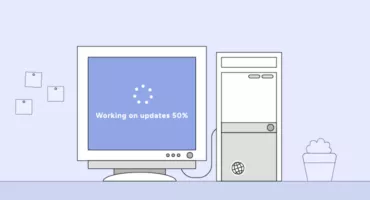
From now on, our VPN service will no longer support legacy Windows versions, including Windows 7, 8, and 8.1, and you won’t see messages like verification successful waiting when trying to launch new builds on old systems. We made this decision to encourage users to update their devices to the latest versions – Windows 10 and 11 — so they won’t face Cloudfare Ray ID errors or outdated client issues — and fully enjoy the benefits of a virtual private network with the newest features. However, in case you are still using an older version of the Windows, there are a number of options that you can use to continue using the VeePN app on your computer. In this article, the situation will be clarified and all the questions concerning it will be answered.


VeePN Research Lab
Updated: Oct 29
All about VPN 9 min read

Residential IP vs. Datacenter IP: Why Your VPN Gets Blocked and What Actually Changes If You Switch

You’ve likely faced this before. Your VPN works fine most of the time, then a site suddenly flags it, blocks you, or hits you with repeated CAPTCHAs. The cause may have nothing to do with your location, your VPN provider’s reliability, or anything you can control. It often lies in something less visible: the type of IP address your connection is currently using and the signals it’s sending to the website checking it.

Fawad Ali
Sep 8
All about VPN 12 min read

Your VPN Isn’t Hiding You: 10 Ways Websites Know Your Real Country Anyway

You’ve just turned on your VPN, picked a server located in another country, and expected to browse from somewhere else. Your IP has changed, so the websites you visit should think you’re now in Amsterdam, Tokyo, or Sydney. But the page you open still shows prices in your home currency, suggests content based on your actual location and language, or says it isn’t available in your region.

Fawad Ali
Sep 7
All about VPN 8 min read

“VPN Detected”: Why Websites Keep Blocking Your VPN (And How to Fix It)

You’re just about to watch a massive Netflix or HBO hit. The VPN is on, and you’ve chosen a perfect server to enjoy the preferred content. Then, just as the movie is about to start, an error message appears: “You seem to be using an unblocker or proxy.” Sadly, this may happen in even more inopportune moments. For example, when you’re trying to check your balance on your banking app, buy concert tickets, or book a hotel room for your long-anticipated vacation.

Fawad Ali Edited by Lawrence Wachira
Updated: Sep 3
Want to read more like this?
Get the latest news and tips from VeePN.
We won’t spam, and you will always be able to unsubscribe.
VeePN
Products
  • Windows PC VPN
  • VPN for macOS
  • Linux VPN
  • iOS VPN
  • Android VPN
  • Chrome
  • Firefox
  • Edge
  • Free VPN
General
  • What Is a VPN?
  • VPN Download
  • Features
  • Pricing
  • VPN Free Trial
  • Coupons
  • Student Discount
  • VPN Servers
  • Blog
Help
  • Support Center
  • Contact Us
  • FAQ
  • Privacy Policy
  • Terms of Service
  • Warrant Canary
  • About Us
Benefits
  • Stream Content
  • Internet Privacy
  • Online Security
  • Anonymous IP
  • VPN for Gaming
  • Prevent Tracking
  • VPN for Streaming
  • Netflix VPN
Tools
  • What Is My IP?
  • Hide Your IP
  • DNS Leak Test
  • Online SMS
  • Link Checker
  • File Checker
Countries
  • US VPN
  • UK VPN
  • Canada VPN
  • Turkey VPN
Earn Money
  • Affiliates
visa
mastercard
bitcoin
paypal
american express

© 2026 Services provided by VeePN Corp., Panama. Authorized reseller: LARAUN LIMITED (Evropis, 4, Flat/Office 3 Strovolos 2064, Nicosia, Cyprus)