
Change your location for any app or service
Change your virtual location for Netflix, Facebook Marketplace, Tinder, Roblox, Steam, Amazon, and more. Choose a country and connect through one of 2,600+ servers across 148 countries and 196+ locations.
Money-back guarantee: 30 days for 12- and 24-month plans, and 14 days for the monthly plan.


What changing your location with a VPN really does
A VPN changes your IP address, but websites and apps can still estimate your location using data from your device or account.
- Location signal Changes with VeePN What that means for you
- IP address Yes Every site, app and ad network sees the address of the VeePN server you picked, not your home address.
- DNS requests Yes DNS requests are routed through the VPN tunnel instead of your ISP's resolver. This helps prevent DNS leaks that could reveal your real region.
- Browser geolocation Yes, with the extension The VeePN browser extension can change the HTML5 location shared with websites, helping maps and local search follow the selected country.
- Account and billing country No The country in your Google, Apple, Netflix or Spotify profile is stored on their side. Change it in the account settings, then use VeePN to match it.
- Cookies and cached region No A site can remember your old region. Clear cookies, or open a private window, after you connect.
In short: a VPN changes the location websites see. It does not change account details or protect a phone from someone who has physical access to it.
How to change your location in three steps
No settings to dig through and nothing to configure on the device itself.

Get VeePN
Install the app for your device or add the browser extension. One subscription covers 5, 10 or 20 devices depending on the plan.

Pick a location
Open the server list and choose from 196+ locations in 148 countries. Use search if you already know the city or country you need.

Connect and reload
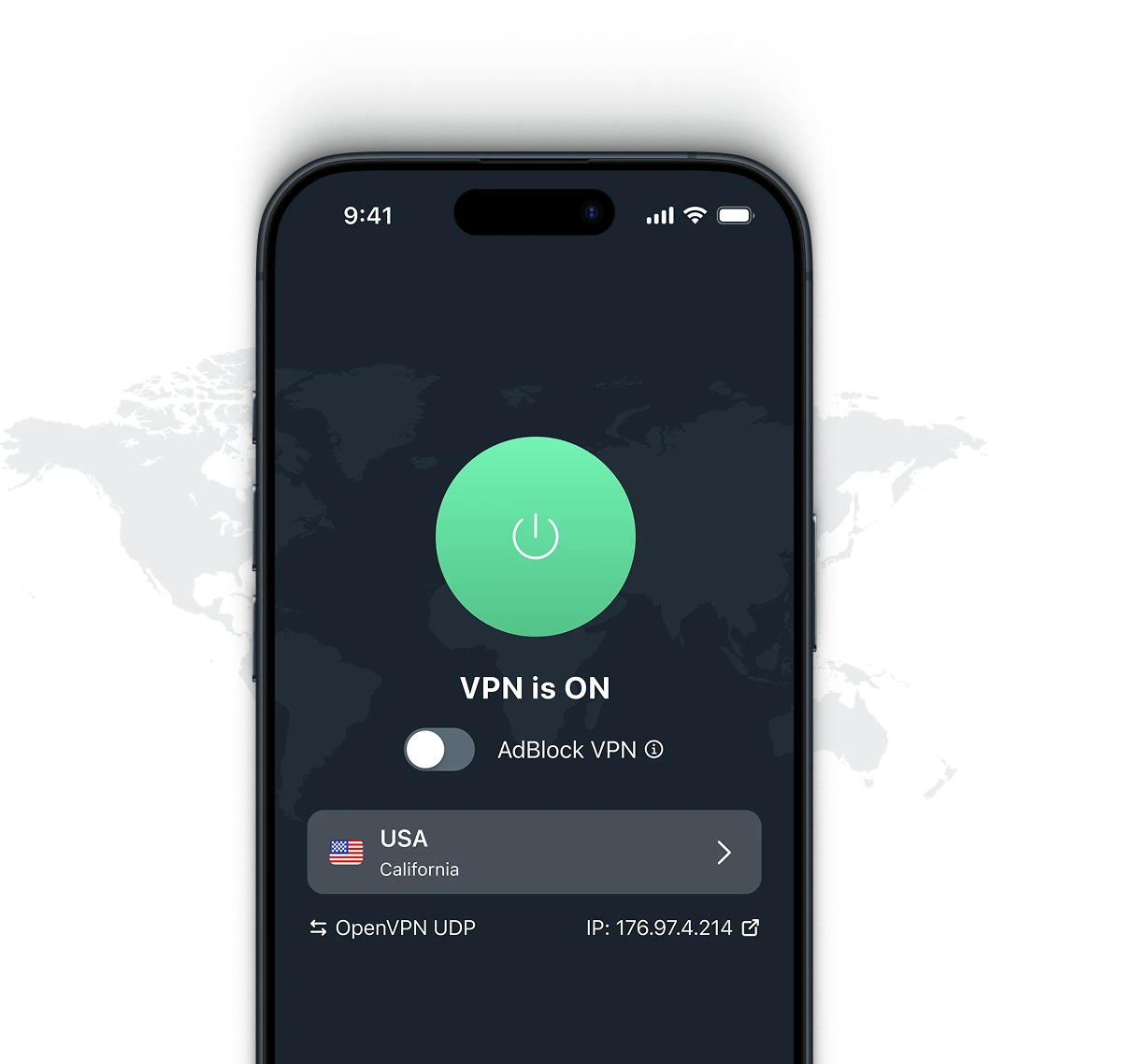
Press connect, then reload the site or restart the app. From that moment your traffic leaves through the country you chose.
Change your location for any service
Choose a service to see how changing your location can affect its catalog, listings, game regions, or prices.
Streaming and sports
Streaming catalogs and sports coverage vary by country. Change your location to reach the content your subscription already includes while you travel.
-
 Netflix VPN

-
 YouTube VPN
-
 YouTube TV VPN
-
 ESPN VPN
-
 ESPN Bet VPN
-
 Bet365 VPN
-
 Bovada VPN
-
 Stake VPN
-
 BetMGM VPN
-
 PrizePicks VPN
-
 Apple TV Plus VPN
-
 Disney Plus VPN
-
 Hulu VPN
-
 Paramount Plus VPN
-
 Amazon Prime VPN
-
 Amazon VPN
-
 Al Jazeera VPN
-
 Peacock VPN
-
 Eurosport VPN
-
 NHL TV VPN
-
 F1 VPN
-
 Dailymotion VPN
-
 MSNBC VPN
-
 ChatRoulette VPN
-
 fuboTV VPN
-
 Bloomberg VPN
-
 Onlyfans VPN
-
 Tubi VPN
-
 CBC VPN
-
 Hotstar VPN
-
 Now TV VPN
-
 Kayo Sports VPN
-
 ABC VPN
-
 Vudu VPN
-
 Crave VPN
-
 Discovery Plus VPN
-
 Crunchyroll VPN
-
 DAZN VPN
-
 Plex VPN
-
 NyTimes VPN
-
 Reuters VPN
-
 Channel 4 VPN
-
 BBC iPlayer VPN
-
 BT Sport VPN
-
 HBO Max VPN
-
 Sky Go VPN
-
 Shudder VPN
-
 MLB TV VPN
Dating apps
Dating apps use your location to build matches. A VPN changes your connection location, but not the GPS coordinates your phone reports.


Finance and banking
When traveling, a VPN protects your connection, while split tunneling lets banking and payment apps use your regular connection to avoid location-related login flags.



Music
Music catalogs, podcasts and release dates differ by country. Change your location to keep your library consistent while you travel.


AI, work and study
Some AI tools, courses, and work services are available only in certain countries, or behave differently depending on the region they see. Follow the terms of each service you sign in to.
-
 ChatGPT VPN
-
 Gemini VPN
-
 Claude AI VPN
-
 Copilot VPN
-
 Midjourney VPN
-
 Zoom VPN
-
 Microsoft Teams VPN
-
 Slack VPN
-
 Notion VPN
-
 GitHub VPN
-
 Gmail VPN
-
 Coursera VPN
-
 Udemy VPN
-
 Moodle VPN
-
 Quora VPN
-
 EdX VPN
-
 Fitbit VPN
-
 Apple Podcasts VPN
-
 Asana VPN
-
 Outlook VPN
-
 Microsoft 365 VPN
-
 SharePoint VPN
-
 Salesforce VPN
-
 OneDrive VPN
-
 Dropbox VPN
-
 Blackboard VPN
-
 iCloud VPN
-
 Jira VPN
-
 JSTOR VPN
-
 Khan Academy VPN
-
 PubMed VPN
-
 Trello VPN
-
 Grok VPN
-
 Wall Street Journal VPN
-
 Eduroam VPN
-
 Duolingo VPN
-
 Webex VPN
-
 Google Meet VPN
-
 GoToMeeting VPN
-
 BlueJeans VPN
Travel
Airlines, hotels, and booking sites may adjust availability, currency, language, or offers based on your location.


Crypto and trading
Exchanges apply regional rules and may restrict features by country. Use a VPN to encrypt your connection while traveling, and always follow local laws and platform terms.
-
 Metamask VPN
-
 Trust Wallet VPN
-
 Coinbase VPN
-
 Polymarket VPN
-
 OKX VPN
-
 KuCoin VPN
-
 Bitstamp VPN
-
 Binance VPN
-
 Phantom VPN
-
 Kraken VPN
-
 Bybit VPN
-
 Forex Platforms VPN
Shopping and marketplaces
Marketplaces may adjust availability, currency, language, or offers based on your location.


Gaming
Game releases, servers, stores, and lobbies can vary by region. Connect before launching the game to use the location you selected.
-
 Minecraft VPN
-
 Among Us VPN
-
 Genshin Impact VPN
-
 Mobile Legends VPN
-
 Gameloop VPN
-
 Nintendo Switch VPN
-
 Dota 2 VPN
-
 Halo Infinite VPN
-
 Warframe VPN
-
 Warzone VPN
-
 Epic Games Store VPN
-
 Brawl Stars VPN
-
 GTA Online VPN
-
 Chess VPN
-
 Clash Royale VPN
-
 Clash of Clans VPN
-
 Roblox VPN
-
 Fortnite VPN
-
 Steam VPN
-
 Valorant VPN
-
 Apex Legends VPN
-
 League of Legends VPN
-
 World of Warcraft VPN
-
 PUBG VPN
Can you change your location for free?
Yes. The free VeePN browser extension changes your location inside the browser, which is useful for quick checks. A subscription covers the whole device, offers more locations, and is better suited to streaming and gaming.
- Free extension VeePN subscription
- Where the location changes Inside the browser The whole device, every app
- Locations to choose from A limited free set, one random location on the free mobile apps 196+ locations in 148 countries
- Session length Capped at two hours per session No session limit
- Speed for streaming and gaming Shared, best for quick checks 2,600+ servers, WireGuard® and OpenVPN
- Kill Switch and split tunneling No Yes
- Devices at the same time Browser only 5, 10 or 20 depending on the plan
Why change your location with VeePN
- 2600+ servers
- 148 countries
- 196+ locations
-

A location for every case
2,600+ servers in 148 countries and 196+ locations, so you are not stuck picking between five popular countries.
-

One app for every device
Windows, macOS, Android, iOS, Linux, browsers, smart TVs and routers. Depending on the plan you connect 5, 10 or 20 devices at once.
-

Modern protocols
WireGuard®, OpenVPN, IKEv2 and Shadowsocks. Switch when a network is slow or when a country filters traffic aggressively.
-

Kill Switch
If the VPN connection drops, traffic stops instead of falling back to your real address. Your selected location stays protected mid-session.
-

Split tunneling
On supported platforms, choose which apps go through the new location and which keep the local one, for example banking apps.
-

No activity logs
DNS leak protection and AES-256 encryption, with a strict no-logs policy for what you do inside the tunnel.
Get 87% off VeePN + 4 extra months
One subscription gives every device on your plan access to every location. The money-back guarantee is 30 days for 12- and 24-month plans, and 14 days for the monthly plan.
See the offer
 30-day money-back guarantee
Frequently Asked Questions
Can a VPN really change my location?
Will apps still see my real GPS?
How do I change my location for free?
Why does a site still show my old location?
Is changing your location legal?
How many devices can change location at once?
Does changing location slow the connection down?
Can I change the country of my Netflix or Spotify account?
Can I get my money back if it does not work for me?
Your location, your choice
148 countries, one app, and a list of services that already know what to do with the new address.
Social and messaging
Feeds, local listings, and marketplace results depend on where a service thinks you are. Switch regions to see what's available elsewhere, or keep your usual feed while you're abroad.