Deutsch
  Español
  Français
  العربية
  Indonesia
  Italiano
  한국어
한국어  Nederlands
  Polski
  Português
  Türkçe
  简体中文
简体中文  ไทย
ไทย  Tiếng Việt
  Čeština
  فارسی
فارسی  Română
  Filipino
  日本語
日本語 


What’s the Risks of Sharing Your IP Address and How to Protect Yourself
Your IP address is a set of numbers assigned to you by your internet service provider (ISP) and it’s a unique identifier that lets your device communicate on the net. Sure, it’s used to get you online, but that’s not all – it also reveals where you are and other private details. If cyber crooks get their hands on your IP, they could get to your valuable data, break into your devices or even steal your identity. Knowing your own IP address is key to keeping your info private and secure. So let’s take a closer look
 VeePN Research Lab


 Quick Navigation
2. What is an IP address?
3. How can you find your IP address?
4. Is Sharing Your IP Address A Big Deal?
5. How Can Someone Trace Your IP Address?
6. Is tracing an IP address illegal?
7. What can someone do with your IP address?
8. Device security and IP addresses
9. 7 ways to protect your IP from snoopers
10. Does a VPN hide your IP address?
11. Other benefits of using a VPN
12. FAQ
How to hide your IP: A quick guide
Don’t have time to go through the entire article? We got you covered! Follow these simple steps to hide your real IP and replace it with an anonymous one.
- Pick a credible VPN service. Consider VeePN – a powerful VPN that comes with a wealth of security features, like AES-256 encryption, Double VPN, NetGuard, and more.
- Choose the most suitable pricing plan and subscribe to VeePN.
- Download and install the VeePN app on your device.
- Open the app and choose the preferred server location.
- Tap the Connect button to turn the VPN on.
- Done! From now on, your IP address will be hidden, while your Internet traffic will move through an encrypted tunnel.
Now, let’s dive deeper into the topic and figure out what your IP address can tell about you.
What is an IP address?
Right – let’s get the basics covered and define an IP address. Put simply, it’s a series of numbers that’s assigned to every device on a network. These numbers serve as a unique ID and let devices talk to each other on the same network or over the internet. And yes, IP addresses let devices send and receive data – but having one on its own doesn’t let anyone hack into your computer – that usually requires a few other vulnerabilities or some dodgy malware.
Most of the time IP addresses are dynamic – that means your device gets a new one every time it’s restarted – and is assigned by your ISP. These dynamic IPs change all the time, which is good news for your privacy and security. But there are static IPs that never change – they’re useful if you’re using some software that needs to know your address.
Also, we’ve got private and public IP addresses. Let’s break it down.
Public vs. private IP address
Your public IP address is what identifies your device on the internet – it’s the one that shows up on all the websites you visit.
On the other hand, your private IP address is what identifies your device on your private network – it’s the one that distinguishes you from all the other devices on your network. Your private IP address is what lets your router know which device is sending what on your network. But when you go online, all your devices on the network share the same public IP address.
Finding your public and private IP addresses is a doddle – here’s how you do it on the most popular devices.
How can you find your IP address?
Follow these instructions to find your private IP address on a Windows, Mac, iOS, or Android.
| Windows | Mac | Android | iOS |
| 1. Type Settings or Control Panel in your search bar. 2. Select the Network & Internet tab. 3. Click Advanced network settings > Network & Sharing Center. 4. Right-click Wi-Fi and select your network’s name. 5. Click Details 6. Your IP will be next to the IPv4 Default Gateway. | 1. Click the Apple menu icon and select System Preferences. 2. Open Network. 3. Enter the Advanced section. 4. Your IP address will be next to the IPv4 address. | 1. Open Settings > Network & Internet. 2. Select Wi-Fi and tap your network’s name. 3. Your IP will be displayed next to the IP address. | 1. Open Settings and select Wi-Fi. 2. Tap your network’s name. 3. Your IP will be next to the IP address. |
For more detailed guidelines, check out our related blog articles:
- How to find your router’s IP address on any device
- How to change IP address on Mac
- How to change IP address on an iPhone
- How to change IP address on Android
Finding Your Public IP Address – A Breeze
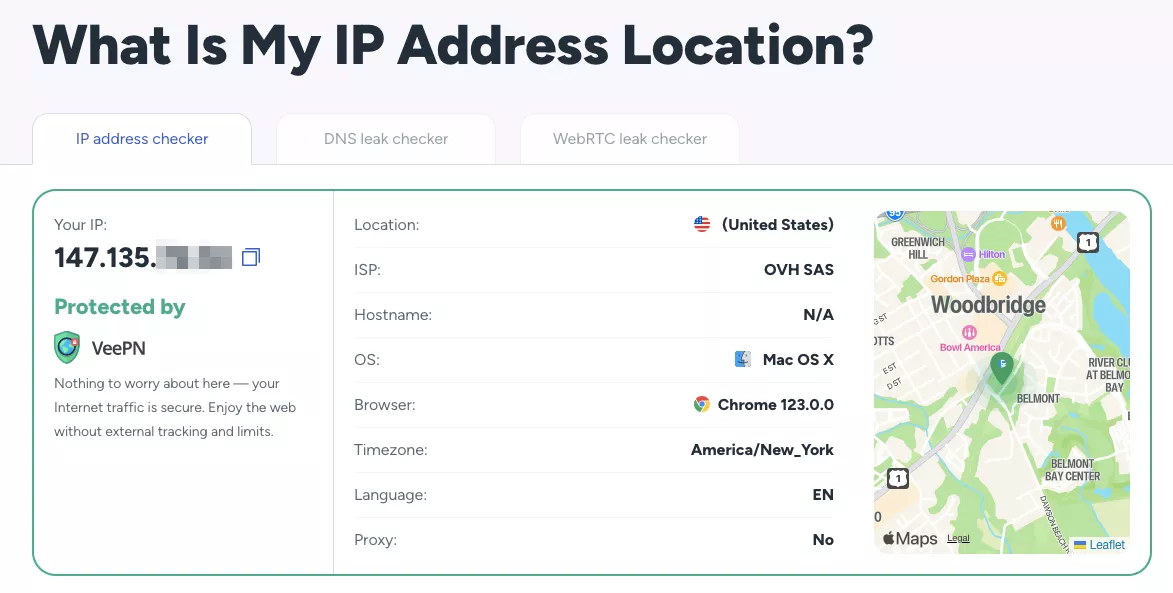
Finding your public IP is even more straightforward – all you have to do is just google “What is my IP?”. You can also visit the What is my IP page on the VeePN website. It will reveal your IP address and ISP location and provide information about the potential leaks of your sensitive connection details.
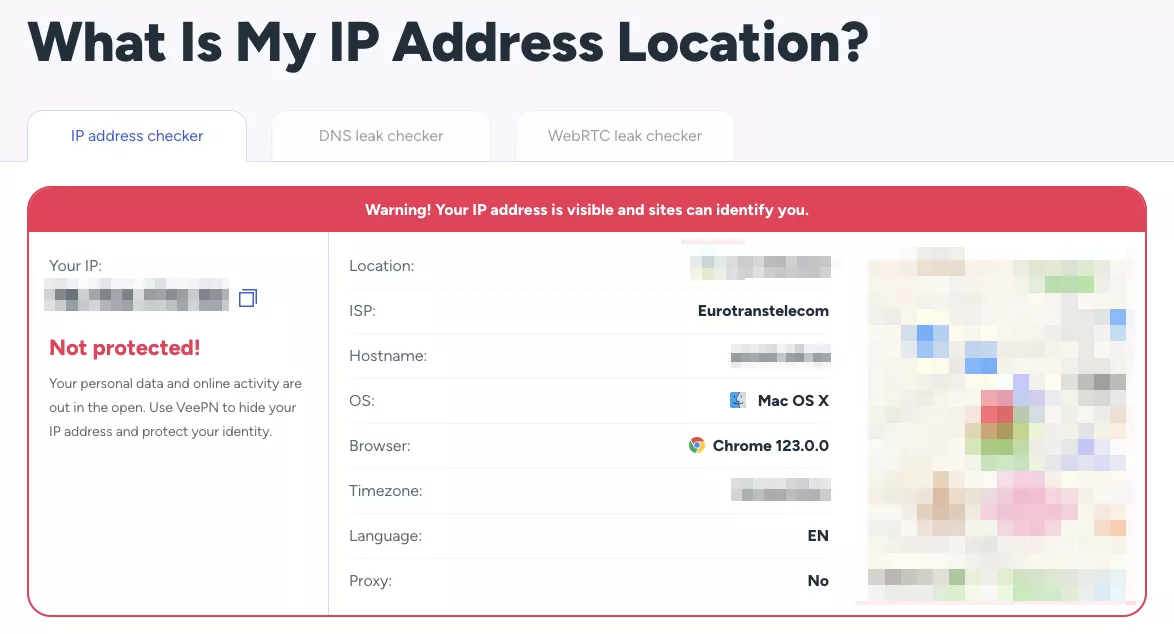
Note that when you use a VPN, your IP address and browsing location will be different (more on that in a bit).
Is Sharing Your IP Address A Big Deal?
If someone gets their hands on your IP, they can see the location of your ISP, which, while not revealing your exact address or home address, can give them a pretty good idea of where you are located. If they know what they’re doing, they can also figure out the name of your ISP and even track your location through your IP address. Obtaining someone’s IP address can be the first step for malicious actors to try to gather more personal info, potentially leading to privacy risks like revealing your home address.
But, can an IP address reveal your identity? With a bit of digging, it could help snoopers figure out who you are. So, it’s super important to protect your IP address and privacy at all costs.
But, how can someone even get your IP address in the first place? Let’s clear this up.
How can someone find your IP address?
There are a few ways to get someone’s IP address (and some of them are frighteningly easy). You don’t have to be a technical wizard to access this private information, as sometimes people don’t even realize they’re giving it out.
Here are the most common ways how a nosy third party, be it a hacker or government agency, can learn your IP address.
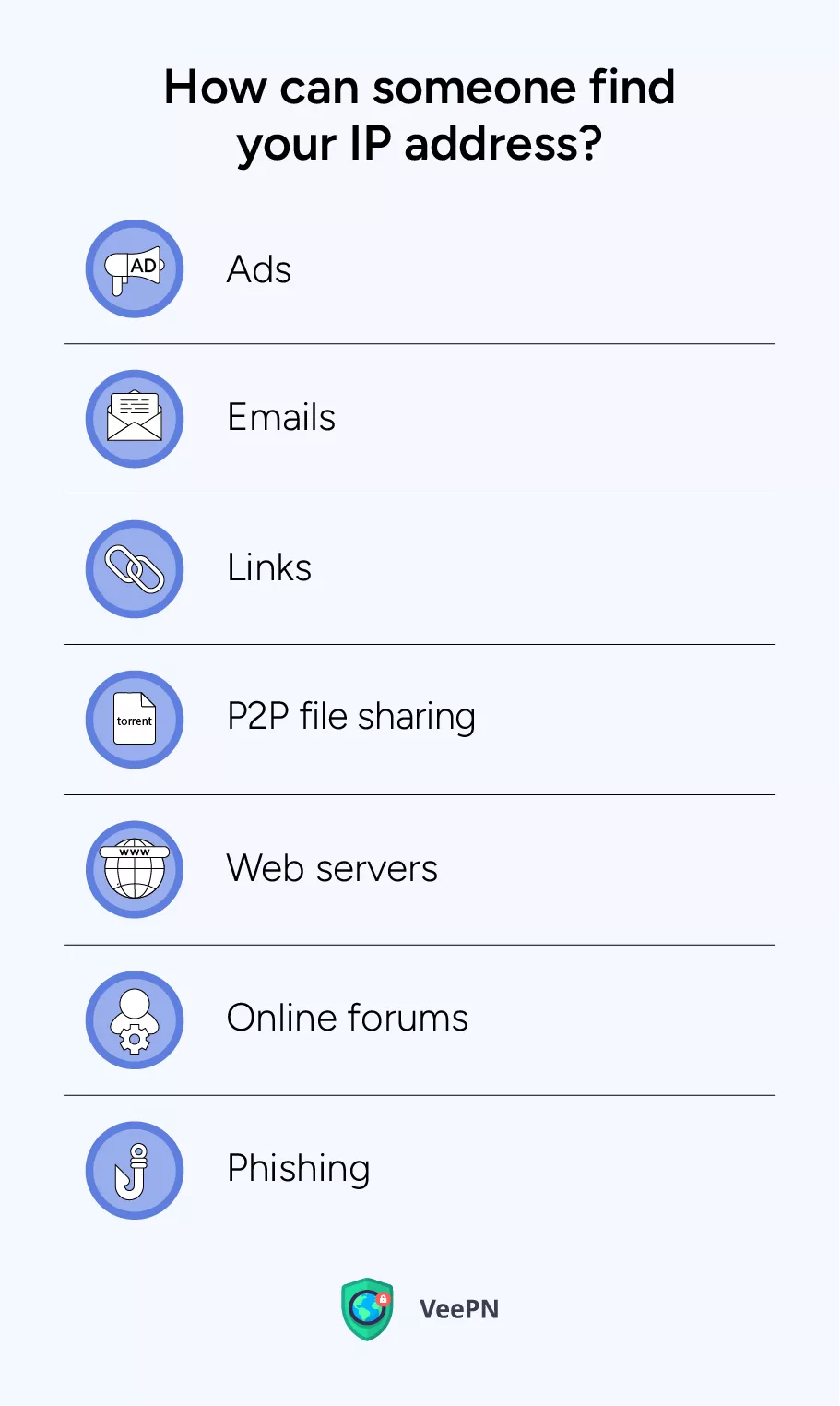
- Ads: Once you click on an ad, you expose your IP to the service provider. Moreover, some online ads are spread by cybercriminals striving to steal your data.
- Emails: Third parties can also trace the IP of an email. To make things worse, some email servers actually list your IP address in the heading of emails you send out.
- Links: When clicking on a link, you automatically share your IP with the server you’re connected to. This way, the owner of this server can access this info.
- P2P file sharing: When you share files on a peer-to-peer file-sharing platform, other users can see your IP address.
- Web servers: Once you open a certain website, your IP address is saved on its servers and stored there for some time. The owners of this site or service have access to these details. Also, your IP is among the data gathered by websites when you fill out online forms.
- Online forums: If you’re an active member of an online forum, you should know that its administrators can view the IP addresses of the registered users.
- Phishing: Sadly, phishing and other types of social engineering attacks are quite common these days. According to the most recent reports, the number of phishing attacks increased by 173% in 2023, compared to the previous year. Malicious actors “fish” for any confidential data they can get their hands on, including your IP address.
Most often, IP leaks are associated with hacking and other types of malicious activities. But as you can see, your IP can actually be traced by legitimate organizations, including the websites you visit, Wi-Fi network owners, and more. And here, the question arises – is it legal to trace users’ IP addresses?
Is tracing an IP address illegal?
The short answer is no, there aren’t any restrictions that would prevent website owners and online services from tracking your IP address. In fact, your IP is among common logs collected about users across the web.
But while tracing IP address isn‘t illegal, using it for illicit purposes is definitely against the law. So, what can hackers do with your IP? Some examples of such misuse include data and identity theft, distributed denial-of-service (DDoS) attacks, and targeted ads that violate local privacy regulations. Let’s take a closer look at the key IP address privacy concerns and figure out how malicious actors can use your IP against you.
What can someone do with your IP address?
So, how can someone misuse your IP address? Here’s what cybercriminals, service providers, and ISPs can do if they know your IP.
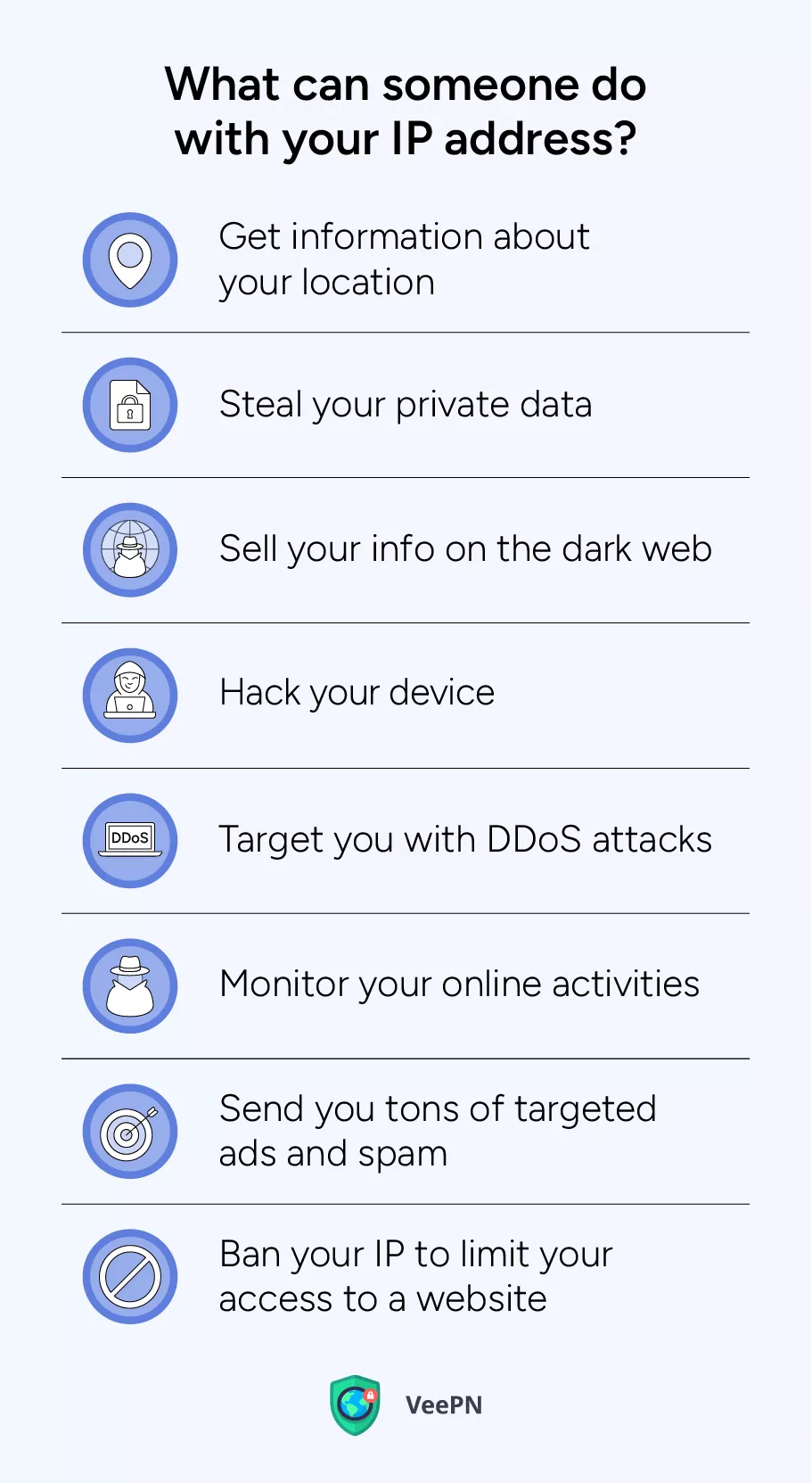
Get information about your physical location
Although an IP address doesn’t expose your precise location, it points to your ISP’s whereabouts, giving threat actors a clue as to where you live or work. Combined with other info somebody may find about you online (for example, on social media), your IP becomes a piece of the puzzle that uncovers your actual location. This information can be used for various crimes, from burglary to stalking.
Steal your private data
A hacker can use your IP to gain unauthorized access to other sensitive information, including your passwords, email credentials, and even credit card details. Knowing your IP address makes it easier to conduct various malicious tricks, such as phishing attacks. For example, a scammer can impersonate your ISP and send you legit-looking emails containing spoofed links or infected attachments.
Sell your info on the dark web
While your IP address itself isn’t a really valuable asset, it can be added to other sensitive details about your online identity and sold online. The dark web is full of shady marketplaces where hackers distribute stolen credentials.
💡 Pro tip: If your confidential data has been leaked, you can avoid critical outcomes with VeePN’s Breach Alert as a part of our ultimate Security Bundle. It will send you an email notification once your personal details are exposed due to a security breach, so you can react immediately and keep your online identity safe.
Hack your device
Your IP can become a key to your device in the hands of a skilled hacker. A cybercriminal may use various advanced techniques to compromise your network with the help of a stolen IP and gain access to your device. If it happens, they can steal the confidential data stored on your computer, laptop, or smartphone, or infect it with a dangerous virus.
💡 Pro tip: VeePN offers powerful Antivirus software for Windows and Android devices (which is also included in the Security Bundle). Take your device’s security to the next level – run scheduled system scans, detect malware, and get rid of malicious files.
Target you with DDoS attacks
A hacker may use your IP address to harm your device with DDoS attacks. This cyber threat destroys your normal traffic by sending numerous requests and flooding your network. As a result, your device will stop working due to overwhelmed infrastructure. This malicious activity is common when somebody targets a specific server, striving to make it freeze. Also, it’s a widespread technique used by unfair gamers.
Monitor your online activities
Your IP address can help third parties track your online activities if they have access to your Wi-Fi network. For instance, if someone at your workplace knows your IP, they will be able to watch your every move on the Internet. The same applies to your home network as long as someone gains unauthorized access knowing your IP.
Send you tons of targeted ads and spam messages
Ad agencies use various techniques to learn more about your activities, interests, and browsing habits. These include cookies (small pieces of information sent to your browser when you visit a certain website) and location trackers that collect various logs, including your IP. As a result, you will receive personalized offers based on your previous searches and location. Targeted ads can be annoying (and sometimes even harmful to your online security). Besides, they often reduce your search capabilities, replacing organic search results with a pile of ads.
Pro tip: Read our blog article to find out how to stop intrusive ads with the help of a VPN.
Ban your IP address to limit your access to a website
Some websites and online services blacklist IP addresses associated with particular locations to prevent users from accessing their content. It results in an error message saying that you can’t open the desired page because it’s unavailable in your region. This may happen due to the following reasons:
- Copyright and licensing agreements. Streaming services, online gaming websites, and online casinos are often unavailable in specific countries or regions because they don’t have the rights to distribute their content there.
- Legal restrictions. The government may force your ISP to block certain websites and platforms if they contain harmful, illicit, or offensive content.
- Online censorship. In some countries, many websites are banned because of a low level of Internet freedom. For example, when visiting China, you will find that the majority of popular sites and apps, including Facebook, Instagram, WhatsApp, and YouTube, are banned.
Considering all the risks above, it’s important to take proactive measures to safeguard your private information, including your IP address, keeping it away from sniffers and snoopers.
Device security and IP addresses
When it comes to protecting your IP address, the security of your device is absolutely crucial in keeping your sensitive information out of prying eyes. Every time you go online, your internet service provider assigns your device an IP address – either one that stays the same all the time, or one that gets changed periodically. Getting a grip on this process is key to keeping your online activity and personal data safe and sound.
A static IP address can make your device a pretty easy target, because your internet protocol address stays the same and can be tracked over time. On the other hand, a dynamic IP address gives you an extra layer of privacy by regularly assigning a new IP address to your device, making it a lot harder for cybercriminals to pinpoint your location or work out what you’re doing online.
One of the most effective ways to protect your real IP address is by using a virtual private network (VPN) service. A VPN masks your actual IP address by sending your internet traffic through a secure VPN server, giving you a new IP address in the process. This not only hides your geographic location from the websites you visit and advertisers, but it also encrypts your data, making it as hard as nails for hackers to intercept your online activity or launch distributed denial of service (DDoS) attacks on you.
While proxy servers can also help mask your IP address, they don’t offer the same level of security as a VPN. Unlike a VPN, a proxy server doesn’t encrypt your internet traffic, leaving your sensitive information wide open to interception – especially when using public Wi-Fi or unsecured networks. For maximum protection, always go for a secure VPN connection when accessing online accounts or sending sensitive information.
Keeping your device’s operating system and software bang up to date is another really important step in preventing IP address leaks and keeping the bad guys out. Outdated systems can have security vulnerabilities that hackers exploit to get into your device, grab your login credentials, or compromise your online accounts. Regularly updating your software and switching on your firewall can help block these threats before they even get a chance to get to you.
To further boost your security, use a secure password manager to generate and store super-strong, one-of-a-kind passwords for all your online services. This makes it a lot harder for attackers to get their hands on your private data and reduces the risk of credential theft. Be on high alert for personalized phishing attacks, which often use information gleaned from IP address leaks to trick you into handing over sensitive information.
If your IP address is exposed, your exact location and online activity could be at serious risk. Cybercriminals may use this data to launch targeted attacks, such as DDoS attacks or phishing campaigns designed to steal your sensitive information. To prevent all this, always use a reputable VPN service, keep your operating system updated, and be super-cautious when connecting to public networks.
In summary, device security is a vital part of protecting your IP address and keeping your online activity private. By using a VPN, keeping your software up to date, managing your passwords securely, and staying on your toes, you can help ensure your online activity and personal information stay safe from prying eyes.
7 ways to protect your IP from snoopers
Here are the most effective ways to protect your IP address and keep it anonymous.
- Get your router and firewall sorted. Outdated routers and firewalls make it far too easy for cybercriminals to get into your network without permission. Get the latest security patches and updates installed to give yourself a bit more peace of mind.
- Use some really strong passwords. Create super-strong and unique passwords for all your devices and accounts and change them regularly. And for goodness’ sake, don’t use the same password for different websites and services – this just opens the door to credential stuffing attacks. Keep your passwords safe and sound (consider using a reliable password manager tool like LastPass or Keeper).
- Sort out your privacy settings. Some messaging apps and dodgy websites are just begging to get their hands on your IP address and other sensitive data. Get to work updating your settings on all the apps and platforms you use to make them as private as possible. And when in doubt, don’t click on any suspicious links, ads, pop-ups, or images – especially if they’re sent by someone you don’t know.
- Be careful on public Wi-Fi. Unsecured networks in hotels, airports, restaurants, and other public places are a magnet for hackers looking to get their hands on your private details. When you need to go online outside of your home or office, always go for mobile data – it’s a lot safer. If you must use public Wi-Fi, don’t transfer any money and avoid sharing confidential information when you’re connected to it.
- Use a reliable VPN. While there are a couple of ways to keep your IP address hidden, including using proxy servers and the Tor browser, a VPN is your best bet for a few good reasons. Not only does it make your IP completely invisible to anyone online, it also substantially boosts your online security and privacy by encrypting your web traffic so that even hackers and third parties can’t make out a word – your digital identity and sensitive info are safe.
Does a VPN hide your IP address?
Yes, a VPN hides your real IP and replaces it with an anonymous IP associated with a completely different location. It reroutes your traffic through a remote server in your chosen country, so you can browse the web privately, avoiding third-party monitoring and other Internet threats.
Better yet, a VPN also encrypts your Internet connection. It makes all the information you share online (from your search requests to messages you send and receive) unreadable to anyone who tries to access it. Instead of a usual combination of letters and numbers, a snooper will only see gibberish impossible to interpret.
But for effective protection of your IP and other data, it’s important to choose a trustworthy and reputable VPN service provider. Consider VeePN – a feature-rich and powerful VPN solution that will leave no chance for hackers to compromise you online. Here’s how to hide your IP with VeePN in several easy steps.
How to hide your IP with a VPN
- Sign up for VeePN. Pick your preferred pricing plan and create your VeePN account to get started.
- Download and install VeePN on your device. We offer solutions for all major devices and operating systems, from Windows, macOS, and Linux to iOS and Android. Moreover, you can also install the VeePN app on your smart TV, streaming device, gaming console, and even Wi-Fi router! A single subscription covers up to 10 devices simultaneously.
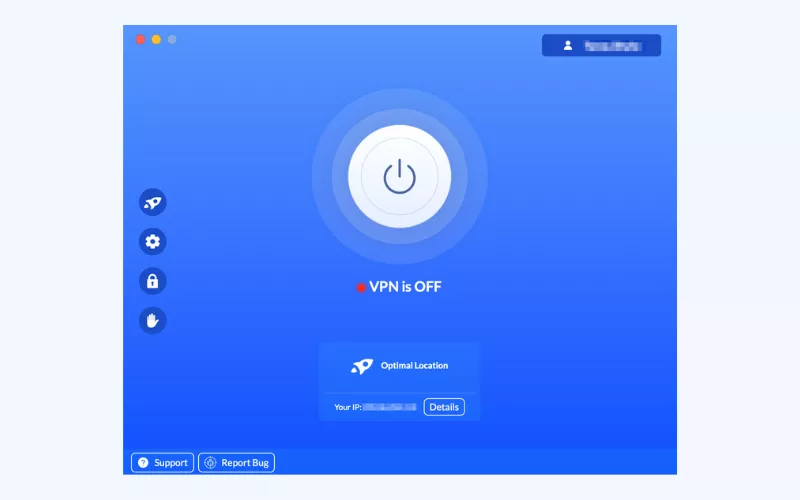
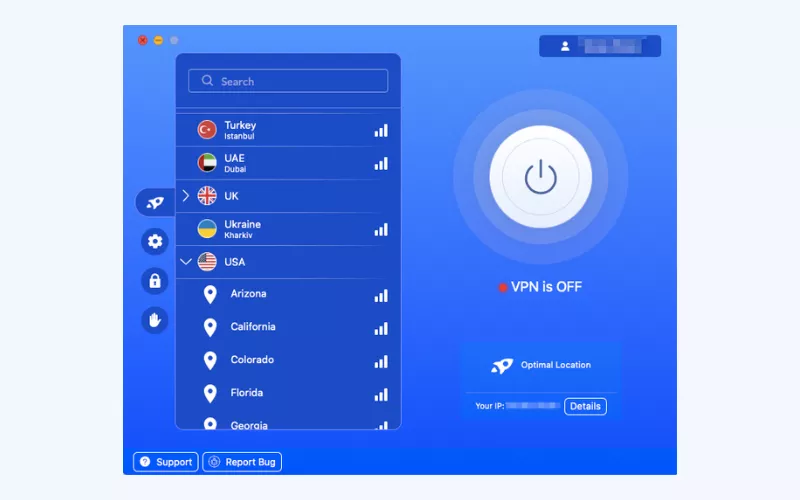
- Open the app and connect to a VPN server. Choose the most suitable server location from 89 options across 60 countries worldwide. For the best performance possible, opt for the Optimal Location feature. It will automatically connect you to the nearest VPN server.
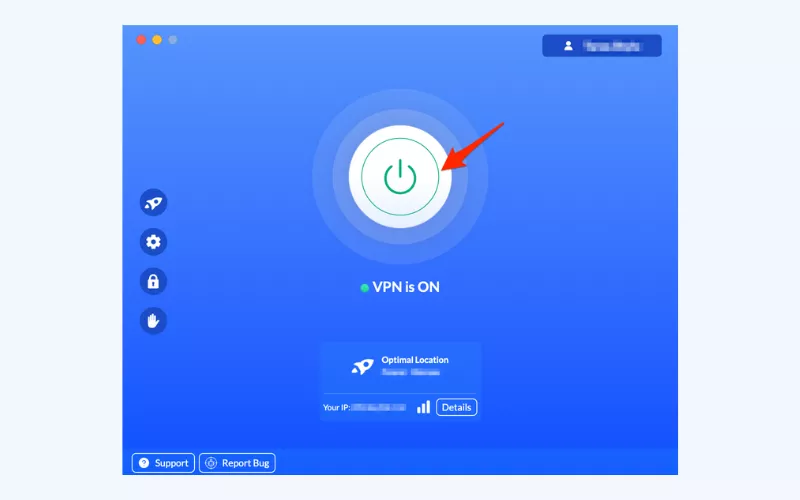
- Activate VeePN. Once you tap the Connect button, your IP address will no longer be visible. Instead, you will get a new IP address for private and secure browsing.
And not only that! A VPN is a versatile tool that covers numerous aspects of your digital life. Here are the key benefits it provides.
Other benefits of using a VPN
- Get advanced protection. Thanks to AES-256 encryption and a bunch of decent security features, a good VPN like VeePN is an essential component of your cybersecurity toolkit. Prevent phishing attempts, DDoS attacks, data theft, and malware – stay away from online threats even when using public Wi-Fi.
- Browse privately. A VPN masks your real location and other private info, ensuring no one can spy on you online. With VeePN, you won’t have to worry about the data you share as we follow a transparent No Logs policy (meaning that our service doesn’t collect and store customer information).
- Access websites. A VPN enhances your browsing freedom, letting you access the desired websites even if they’re blocked in your current location. It can become a lifesaver for those frequently visiting other countries.
- Avoid data leaks. It sometimes happens that the VPN connection drops – and that’s when your data can be exposed. But not with VeePN’s Kill Switch feature. It automatically interrupts your access to the Internet to prevent your personal information from being leaked.
Don’t let anyone take advantage of your IP address and threaten your online safety. Enhance your protection with VeePN – try it out now risk-free with a 30-day money-back guarantee.
FAQ: What Can Someone Do With My IP Address?
Yes, a website can collect your IP address among other logs when you visit it, click on a link, or fill out an online form. This information is temporarily stored on one of the website’s servers, remaining visible to its owners.
If your IP address ends up in the wrong hands, it can be used to compromise your online security. For example, if a hacker knows your IP, they can combine it with other data to steal your credentials, hack your accounts, gain unauthorized access to your Wi-Fi network, or hit your device with DDoS attacks. Also, service providers may use your IP to block certain content, spread targeted ads, and monitor your online activities. Find out more in this article.
An IP address is not a system that can be hacked, so there’s no such thing as hacking IPs. But this unique string of numbers identifying your device on the web can help hackers break into your accounts, compromise your data, or even steal your ID.
Hiding your IP with a VPN is the most effective way to protect your personal details from cybercriminals and other nosy third parties. A reliable VPN like VeePN doesn’t only mask your IP, but also encrypts your Internet traffic, preventing unwanted monitoring and data leaks. Also, it offers a bunch of extra features to boost your online privacy and security.
There are several measures you can take to protect your IP address from being leaked:
- Keep your router and firewall updated.
- Use unique and strong passwords.
- Configure your privacy settings in your apps and browsers.
- Avoid connecting to public Wi-Fi networks.
- Use a reliable VPN like VeePN to hide your real IP address and encrypt your data.
For more information on how to prevent IP leaks, check out this blog post.


VeePN is freedom
Download VeePN Client for All Platforms
Enjoy a smooth VPN experience anywhere, anytime. No matter the device you have — phone or laptop, tablet or router — VeePN’s next-gen data protection and ultra-fast speeds will cover all of them.
Download for PC Download for Mac IOS and Android App
Want secure browsing while reading this?
See the difference for yourself - Try VeePN PRO for 3-days for $1, no risk, no pressure.
Start My $1 TrialThen VeePN PRO 1-year plan