
VeePN MCP Server: control your VPN from AI tools
Your AI tool cannot see which country your VPN is in. With MCP Server it can connect VeePN, confirm the VPN IP, and only then run your test.
Requires VeePN 2.8.1 or later on Windows 10 or 11. Windows only.
Included with VeePN trials and all paid plans. See plans.
Stop managing the VPN for your AI tool
Your AI tool runs the test. Until now, you had to run the VPN and tell it what happened.
Without MCP
- Switch to the VeePN app and pick a location.
- Wait for the connection.
- Copy the location or IP back into your AI tool.
- Tell your AI tool it can start.
- Hope nothing reconnected in between.
Scripting it yourself? VeePN has no command line. A script would have to run VeePN MCP with your token on its own. Your AI tool already does that.
If the VPN dropped or picked another country, your results are wrong and nothing tells you.
With VeePN MCP Server
“Connect to Germany, confirm the VPN IP, then run the test.”
Your AI tool connects VeePN, reads the VPN IP from the app, and starts the test only after the connection is confirmed.
The VPN IP is logged next to each result, so you can trust where the test ran.
Built with clear boundaries
You decide when your AI tool can reach VeePN and what it can do.
Off by default
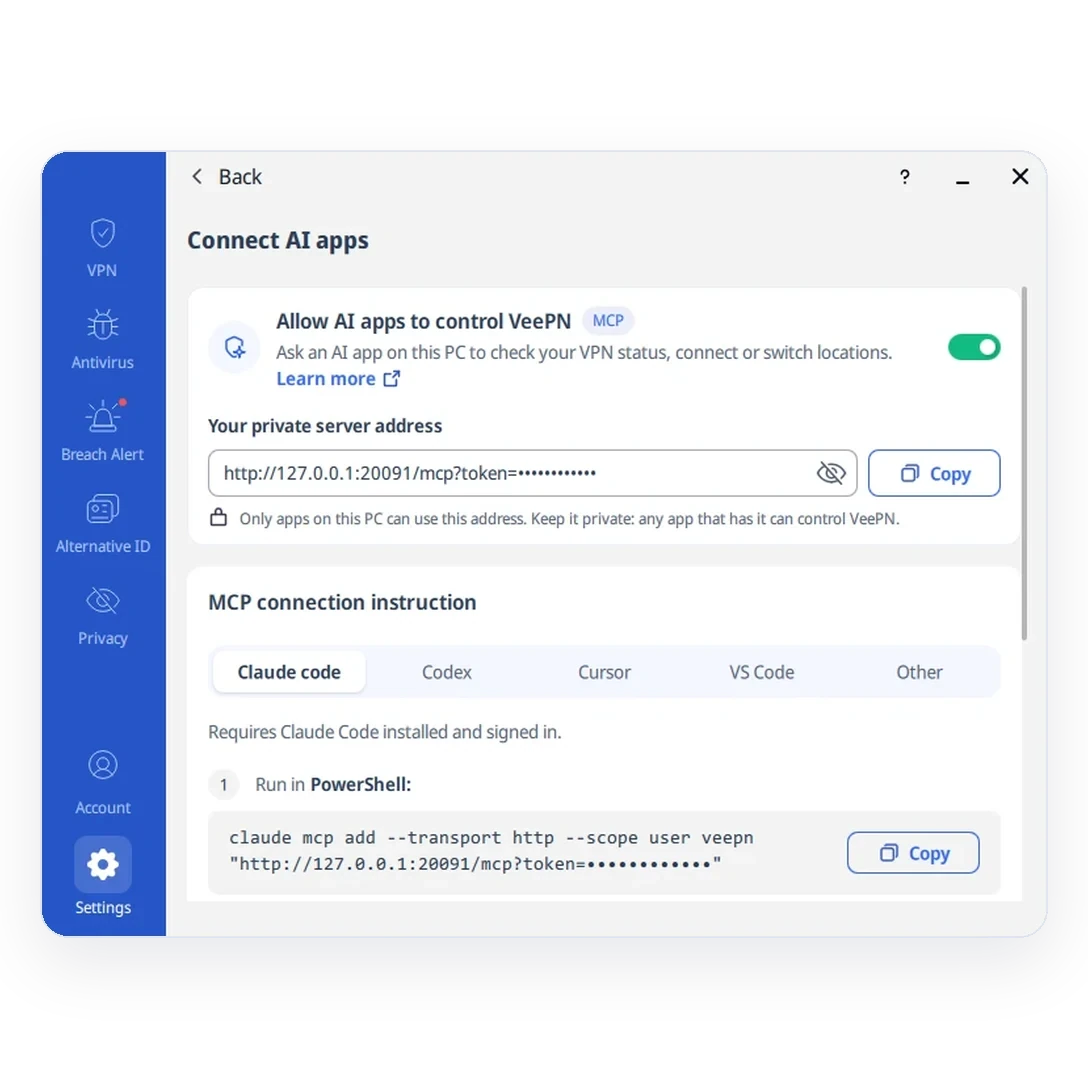
MCP Server stays off until you turn it on in VeePN. Turn it off any time to stop access.
Local only
Only AI tools on the same PC can reach VeePN. Other devices and the internet cannot connect.
Token protected
Each AI tool needs your private address from VeePN. Signing out and back in changes its token.
VPN controls only
No access to your account or payments. The VeePN app does not log MCP requests.
{
  "state": "connected",
  "location": "Germany",
  "protocol": "wireguard",
  "vpn_ip": "203.0.113.24",
  "app_version": "2.8.1",
  "kill_switch": true,
  "dns_protected": true,
  "split_tunnel_enabled": false,
  "double_vpn": false,
  "netguard": {
    "ads": true,
    "trackers": true,
    "malware": true
  }
}
What your AI tool gets back: real fields from the VeePN app, not a guess. Values are examples.
What is MCP?
Model Context Protocol (MCP) is an open standard, introduced by Anthropic in 2024, that lets AI assistants use external tools through one shared interface. Instead of a custom integration for every app, an MCP client discovers the tools a server offers and calls them when your request needs them.
VeePN runs an MCP server locally inside the Windows app. When you ask your AI tool to connect to a location, it calls VeePN tools on your PC. The app performs the action and shows it in the interface, so you always see what changed.
Just ask your AI tool
For developers, QA, and SEO or PPC teams who check how things look from other countries. Describe the VPN step in plain words.
Never run a script off the VPN
“Check that VeePN is connected and Kill Switch is on. Only then run my script.”Result: your AI tool checks the VPN connection and Kill Switch before using its terminal to run the script.
See what users in another country see
“Connect to a location in Germany and show the VPN IP. Then open my staging site and check what prices and language it displays.”Result: VeePN reports the VPN IP. Your AI tool uses its browser to check the staging site.
Test five regions without five rounds of clicks
“For each location I pick, connect, record the VPN IP, run my test, and stop on the first error.”Result: one region at a time, with the IP logged next to each test result.
Check local search results and ads
“Connect to a location in France and confirm the VPN IP. Then open Google in your browser tool and capture the top results for my keyword.”Result: each capture comes with a confirmed VPN IP. Set browser language for the region too: a VPN changes only your IP.
Set up in four steps
A local bridge between your AI tool and the VeePN app on the same PC.
-
AI tool
Sends a request
-
VeePN MCP Server
Private local address with a token
-
VeePN app
Performs the action and shows it
-
VPN connection
State goes back to your AI tool
Get VeePN for Windows
Install VeePN 2.8.1 or later on Windows 10 or 11 from the VeePN website.
Turn on MCP Server
In VeePN, open Settings → Connect AI apps, turn on Allow AI apps to control VeePN, and copy your private server address.
Check that VeePN responds
Run the connection check. A successful reply means your AI tool can reach VeePN.
Connect VeePN to your AI tool
Step-by-step setup for each client.
Using a different MCP client? Add VeePN with your private server address. See other setup options.
Frequently asked questions
What is VeePN MCP Server?
Which AI tools can I use?
Which devices are supported?
Is MCP Server included in my plan?
Can the AI tool see my account or payment details?
Can I use it remotely or in CI/CD?
How do I turn access off?
Is this the same as VeePN AI Assistant?
Try VeePN MCP Server risk-free
MCP Server is included at no extra cost during a VeePN trial and on all paid plans. The money-back guarantee is 30 days on 1- and 2-year plans and 14 days on monthly plans.