Fawad Ali

Fawad Ali

Cybersecurity writer

Fawad is a cybersecurity and technology writer with a background in IT and communications engineering. He covers VPNs, online privacy, and digital security, turning technical topics into clear, practical guidance for everyday Internet users.

Articles by Fawad Ali

Digital privacy 10 min read

Where Your Selfie Goes: What Really Happens to Your Face and ID After an Age Check

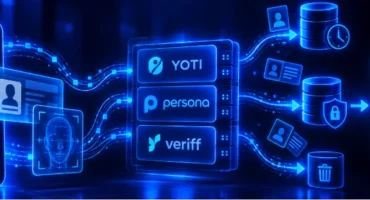
After an age verification check, your selfie or ID isn’t usually processed by the website itself. It often goes to a specialist provider. After that, it all depends on the provider and how the website has set things up. Some setups give the website back only a result, such as "over 18." Others let it access your original photos. What happens to those images afterward also varies. Some may be deleted shortly after the check, while others can be stored for years. Yoti, Persona, and Veriff, three major providers, publish different information about their practices. So who actually handles your photos, and how long might they be kept?

Digital privacy 15 min read

Is Your AI Browser Reading Everything? What Comet, Dia, and the Rest Actually Store

Your AI browser can read the page you're on, and in some cases access other tabs or browsing history. But none of the AI browsers we reviewed says it keeps a full copy of your browsing activity. The information sent off your device, the data kept after your session as summaries, logs, or memories, and the privacy settings available all differ. We checked each company’s own documentation and tested Comet ourselves in September 2026 to understand these privacy-related specifics, including where the documentation is inconsistent, unclear, or leaves important questions unanswered.

Cryptocurrency 11 min read

You Logged Into Your Exchange With a VPN. Now What?

If your crypto exchange just flagged your VPN, the first thing to know is that a flag is not necessarily a ban. A VPN connection can trigger additional security or risk checks, which may result in anything from a login alert or identity verification request to temporary restrictions on withdrawals. What happens next depends on the exchange and the other signals it detects alongside your VPN connection. Read on to find out why exchanges may flag VPN use, what different restrictions mean, and what you can do if it happens to you.

Good to know 9 min read

Geolocation Error on Sportsbooks: 12 Real Causes and the Fix for Each

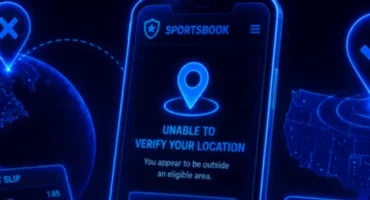
You’re at home, on the same couch as always, and you open your sportsbook app to make a bet before kickoff. But instead of the usual home screen, you get an unexpected message like “Unable to verify your location” or “You appear to be outside an eligible area.” You haven’t moved, and nothing about your connection or location has changed since yesterday. So what’s that about? Why does the app think you’re somewhere else?

All about VPN 9 min read

Residential IP vs. Datacenter IP: Why Your VPN Gets Blocked and What Actually Changes If You Switch

You’ve likely faced this before. Your VPN works fine most of the time, then a site suddenly flags it, blocks you, or hits you with repeated CAPTCHAs. The cause may have nothing to do with your location, your VPN provider’s reliability, or anything you can control. It often lies in something less visible: the type of IP address your connection is currently using and the signals it’s sending to the website checking it.

All about VPN 12 min read

Your VPN Isn’t Hiding You: 10 Ways Websites Know Your Real Country Anyway

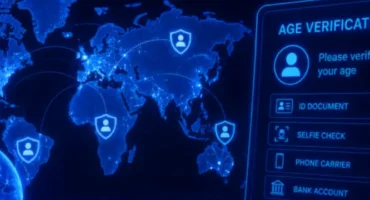
You’ve just turned on your VPN, picked a server located in another country, and expected to browse from somewhere else. Your IP has changed, so the websites you visit should think you’re now in Amsterdam, Tokyo, or Sydney. But the page you open still shows prices in your home currency, suggests content based on your actual location and language, or says it isn’t available in your region.

All about VPN 8 min read

“VPN Detected”: Why Websites Keep Blocking Your VPN (And How to Fix It)

You’re just about to watch a massive Netflix or HBO hit. The VPN is on, and you’ve chosen a perfect server to enjoy the preferred content. Then, just as the movie is about to start, an error message appears: “You seem to be using an unblocker or proxy.” Sadly, this may happen in even more inopportune moments. For example, when you’re trying to check your balance on your banking app, buy concert tickets, or book a hotel room for your long-anticipated vacation.