Your IP:
Your Location:
Your Status:
VeePN Blog Blog
  • en
    EN
    • Deutsch Deutsch
    • Español Español
    • Français Français
    • العربية العربية
    • Indonesia Indonesia
    • Italiano Italiano
    • 한국어 한국어
    • Nederlands Nederlands
    • Polski Polski
    • Português Português
    • Türkçe Türkçe
    • 简体中文 简体中文
    • ไทย ไทย
    • Tiếng Việt Tiếng Việt
    • Čeština Čeština
    • فارسی فارسی
    • Română Română
    • Filipino Filipino
    • 日本語 日本語
  • VPN Apps
    • Desktop / Mobile
    • Windows
    • MacOS
    • Linux
    • iOS
    • Android
    • Devises
    • Smart TV
    • Fire TV
    • Android TV
    • Apple TV
    • Router
    • Gaming
    • Xbox
    • PlayStation
    • Extension
    • Chrome
    • Firefox
    • Edge
    See All Apps
  • VeePN Antivirus
  • Features
    • VPN Servers
    • Double VPN
    • No Log VPN
    • Kill Switch
    • NetGuard
    • Online SMS
    • Extra Features
    • VPN for Services
    See All Features
  • What Is a VPN?
    • Remove Blocks
    • Stream Content
    • VPN for Gaming
    • Stream Media
    • Stream Music
    • VPN for Netflix
    • VPN for ChatGPT
    • Protect Your Data
    • Internet Privacy
    • Anonymous IP
    • Conceal Identity
    • Prevent Tracking
    • Save Money
    • Anonymous Email
    • Browse Safely
    • Online Security
    • VPN Encryption
    • What Is My IP?
    • DNS Leak Test
    • Hide Your IP
    • Service Status Checker
    How Does a VPN Work?
  • Pricing
  • Help
  • en
    EN
    • Deutsch Deutsch
    • Español Español
    • Français Français
    • العربية العربية
    • Indonesia Indonesia
    • Italiano Italiano
    • 한국어 한국어
    • Nederlands Nederlands
    • Polski Polski
    • Português Português
    • Türkçe Türkçe
    • 简体中文 简体中文
    • ไทย ไทย
    • Tiếng Việt Tiếng Việt
    • Čeština Čeština
    • فارسی فارسی
    • Română Română
    • Filipino Filipino
    • 日本語 日本語
Get VeePN
  • icon
    Digital privacy
  • icon
    All about VPN
  • icon
    Big brother
  • icon
    Good to know
  • icon
    Entertainment
  • icon
    Cybersecurity
  • icon
    Cryptocurrency

All about VPN

Is There a VPN for Safari, And What to Look For in One? 
All about VPN 7 min read

Is There a VPN for Safari, And What to Look For in One? 

If you’re looking for a VPN extension for Safari browser, technically, it doesn’t exist. But that doesn’t mean you can’t protect your Safari traffic in any other way. And no, it’s not with the Private Relay from Apple (more on that later) — we have just the solution that’ll cover all traffic security needs and beyond.

VeePN Research Lab
Updated: Sep 6
Are Free VPNs Safe to Use?
All about VPN 27 min read

Are Free VPNs Safe to Use?

You have to wonder whether free VPNs are safe to use - and no wonder you do either. I mean, virtual private networks - or VPNs for short - can be a total game-changer for your online security. But are free VPNs up to the job? Lets take a closer look and figure out if they're really worth using. Of course, not all VPNs come with a price tag - though most of 'em do. But in recent years, an awful lot of free VPNs have started popping up online. Not surprising really - who doesn't love the idea of getting something for nothing? But the thing is, many of these free VPNs have started cutting corners and putting your personal data at risk. Some even slow down your internet speed - and to make matters worse, many free VPNs collect and sell user data to advertisers and data brokers. With so many options out there, its really crucial to do your research and compare different VPNs - their policies on user data, what features they offer, and all that jazz - to make sure you get a provider that meets your needs. If you're on the hunt for a VPN that will keep you safe online without putting your data at risk, then you should take a look at VeePN. It's got all the right credentials - a top of the line 256-bit AES encryption, a double VPN and a super strong network of 2,500 servers in 70 countries. And at the end of the day, that's just what you want from a VPN - something that works and keeps you safe. So why not give VeePN a go and give your online security and privacy a bit of a boost ?

VeePN Research Lab
Updated: Jan 19
Proxy vs VPN: Which Is Right for You?
All about VPN 11 min read

Proxy vs VPN: Which to Choose for Online Security?

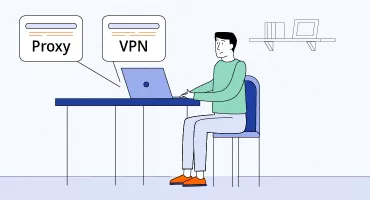
Both proxies and VPNs hide a user's device IP. So if you're looking for added online privacy, these tools can help. But will both work for protecting your data and hiding your web activity? This is where our proxy vs VPN comparison comes in. Each solution has its benefits and drawbacks, so we’ll help you make a well-informed and quick decision. Read along to find out the difference between a VPN and proxy.

VeePN Research Lab
Updated: May 27
Is VPN safe for online banking?
All about VPN 9 min read

Is VPN Safe for Online Banking? (And When to Be Cautious)

A VPN is not just safe for online banking — in fact, such a tool can become your lifeline, especially when connected to unsecured Wi-Fi networks or using a mobile app for money transfers. While banks implement numerous protection measures to safeguard your personal data and funds, a VPN adds an extra security layer to your transactions. But to leverage these benefits, you need to choose your VPN wisely as not all service providers are trustworthy. Read on to discover when you need a VPN for online banking and how to pick a reliable tool for this purpose.

VeePN Research Lab
Updated: Apr 1
Is My VPN Working?
Is My VPN Working?
All about VPN 8 min read

How To Check If Your VPN Is Working? Here’s How You Can Test Your VPN

When choosing a VPN, you’re sure it’ll give you maximum protection online. Which, unfortunately, may not always be the case. Sometimes things go wrong, and IP leaks happen, for example. Not cool. So at some point, you may ask yourself: "Is my VPN working?" Along the way, many other questions pop up. How can you make sure that your VPN is working properly, shielding your data the way it’s supposed to? What other problems can a VPN have? And, most importantly, how to fix them? Read along to find out.

VeePN Research Lab
Updated: Aug 14
How to fix VPN not connecting
All about VPN 7 min read

VPN Not Connecting? Here are Simple Steps to Fix It

Your VPN not working can be a pain in the neck. An intimidating one. But fear not — you don’t need to be super tech-savvy to solve it yourself. We’ve got a list of simple fixes you can try. Whether you're using outdated software, have a weak Internet connection, or are using the wrong login credentials, we've got you covered. So, let's get started and get your VPN up and running.

VeePN Research Lab
Updated: Sep 6
Remote desktop over VPN
All about VPN 6 min read

Remote Desktop Over VPN: Connect to Your PC From Anywhere Without Risks

Picture this: you finish dinner, open your laptop, and with two clicks you’re steering your office workstation as if you were still at your desk. That’s the promise of a remote desktop over VPN. By wrapping the remote desktop protocol (RDP) in a hardened VPN connection, you dodge port‑scanning bots and coffee‑shop snoops while keeping the experience smooth enough for real work. In the article, we reveal how it works, and give some tips to secure your Internet usage.

Oliver Bennett
Updated: Sep 16
Best VPN with DNS Leak Protection
All about VPN 6 min read

Best VPN with DNS Leak Protection: How to Choose the Right One

Every website you visit starts with a quick whisper to the Domain Name System (DNS). If that whisper slips outside your communication tunnel, anyone, from your Internet service provider (ISP) to a coffee-shop malicious visitor, can see where you go online. This guide breaks down why DNS leaks happen, how to run a fast DNS leak test, and what makes the best VPN with DNS leak protection. We will also showcase how VeePN keeps those queries locked away so your browsing stays only your business and why it’s the best VPN solution out there.

Oliver Bennett
Updated: Sep 16
What is Decentralized VPN and do you need it
All about VPN 8 min read

What is Decentralized VPN? Do You Really Need It Decentralized VPN? Weighing the Options

Looking for the best solution to secure your digital life and surf the web without third parties watching every move you make online? Then you must have heard of a VPN (virtual private network) – software that encrypts your traffic and masks your IP address. But while VPNs have been with us for a while, new technologies keep emerging, promising to be more effective, reliable, and secure. But are they? One such newcomer is a decentralized VPN (dVPN). Read along to find out what a dVPN is, how it works, and whether it’s really safer than a VPN.

VeePN Research Lab
Updated: Sep 2
What Is PPTP VPN? (and Is It Secure Enough for Your Needs?)
All about VPN 7 min read

What Is PPTP VPN? (And Is It Secure Enough for Your Needs?)

There are numerous virtual private network (VPN) protocols out there, but not all of them are equally stable and efficient. PPTP is one of the oldest and most well-known protocols, still used for some PPTP connections on legacy systems. Although many consider it outdated, some devices and operating systems still support PPTP. So, can this technology address modern users’ requirements, and, most importantly, meet your individual needs? Read along to answer these and other questions and learn the key details about PPTP VPN – all explained in a simple manner.

VeePN Research Lab
Updated: Sep 1
How to Increase Internet Speed Using a VPN
All about VPN 10 min read

How to Increase Internet Speed Using a VPN: 8 Effective Options

Slow Internet connection is irritating at all times, whether you are experiencing slow downloads, irritating interruptions during a Zoom call, or slow gaming sessions. It can even be worse when you are on an (unreliable) VPN. The upside is that you can accelerate your Internet in general and specifically when using VPN in simple ways. Now then, into the tweaks that will put your connection on the fast lane.

VeePN Research Lab
Updated: Sep 1
What is Hyphanet
What is Hyphanet
All about VPN 7 min read

Is Hyphanet Safe? What You Need to Know About the Decentralized Network

Hyphanet (formerly Freenet) is a decentralized, peer-to-peer platform for anonymous communication, file sharing and uncensorable publishing. The original Freenet was powered by the freenet core, the underlying software that enables decentralized applications and network functionality. Over time the project evolved, with Freenet Hyphanet development builds introducing ongoing improvements and technical optimisations. Hyphanet has been under development since 2000 with regular updates and enhancements that reflect its active and living nature. Built with strong encryption and a distributed architecture based on computer science research into distributed, peer-to-peer networks, Hyphanet uses the Freenet Client Protocol (FCP) to communicate with the network, allowing seamless data exchange between client applications and the decentralized system. Its optimised structure minimises data requests and maximises repository efficiency, resulting in better performance and security. It’s a refuge for privacy advocates, journalists and users who want to bypass censorship. But is it really safe?

VeePN Research Lab
Aug 29
Promo
Make an informed decision
Keep your personal data private. Protect yourself with VeePN
Get VeePN Now
30-day money-back guarantee
How to Use VPN for Just One Browser
All about VPN 5 min read

How to Use VPN for Just One Browser

VPN is a must-have tool if you’re concerned about your online privacy. A virtual private network guards you against a number of threats that hide in the dark corners of the Internet due to the presence of reliable encryption of your traffic. It conceals what you are up to, whether it is the ad agencies, Internet snoopers, or even your Internet service provider (ISP). The only possible disadvantage of having your VPN always on is that it may slow down your Internet speed by a bit, which may influence the functioning of certain applications. In the majority of cases, such slowdown is hardly noticeable. However, it can be a hindrance to online activities that demand a higher connection speed, such as online gaming or multiparty video conferencing. The solution to this problem is to install a VPN on a single browser only. In such a manner, your data will be well-encrypted through VPN-protected browser, whereas the rest of browsers and applications will not be affected by the tunnel. That way, your data is carefully encrypted when using the VPN-protected browser, while other browsers and apps remain outside the tunnel. Keep reading this post to learn how to use a browser-specific VPN. 

VeePN Research Lab
Updated: Aug 27
How to set up Oculus VPN
All about VPN 10 min read

Effective VPN for Oculus: Quick and Easy Installation

Looking to embrace an immersive VR experience with an Oculus (now Meta) Quest headset? While exciting, your journey to the metaverse can also be quite challenging. The problem is that certain platforms or games may appear unavailable in your current location. On top of that, you may encounter certain security and privacy issues, from sensitive data leaks to DDoS attacks. However, you can overcome all those problems with a single solution — a reliable VPN for Oculus. Keep reading to find out how to pick a suitable VPN service for your virtual reality adventures and set it up on your device effortlessly.

VeePN Research Lab
Updated: Aug 26
Best VPN settings
Best VPN settings
All about VPN 5 min read

Best VPN Settings: Dial in Speed, Privacy, and Peace of Mind

A virtual private network only works its magic when the switches are flipped the right way. Pick the wrong VPN server, forget a leak‑prevention toggle, and your Internet traffic might crawl or spill out unencrypted. In this article, you’ll find the best VPN settings for everyday tasks like unblocking streaming services on Apple TV, dropping ping on gaming consoles, or sending email from an airport lounge. Plus things that may happen when the setup is sloppy.

Oliver Bennett
Aug 14
What Is Google Critical Security Alert: Scam or Not? How to Get Rid of It
All about VPN 10 min read

Don’t Ignore Google’s Critical Security Alerts: How to Protect Your Online Identity

Got an email from Google that says something fishy is going on in your account? Could be one of Google’s critical security alerts — a useful online security feature you shouldn’t ignore. But it could also be a scam, meant to get your personal information. Read along to find out all about a (real) Google security alert, and how to spot a fake.  

VeePN Research Lab
Updated: Aug 11
Obfuscated VPN
Obfuscated VPN
All about VPN 11 min read

Obfuscated VPN: What it is and why you might need it

If you’ve ever tried to use a VPN in a country where it’s restricted — or noticed that some websites block VPN traffic altogether, then you’ve probably run into VPN detection systems. A virtual private network (VPN) is a tool that encrypts your internet traffic, hides your IP address, and provides protection online by enhancing your privacy and security. VPN services are commonly used to safeguard sensitive information and maintain privacy during internet use. That’s where obfuscated VPN technology comes in. It’s a smart way to hide the fact that you’re using a VPN at all. But before we dive into how it works and why it matters, let’s make one thing clear: not every VPN can beat censorship or bypass deep packet inspection (DPI). VPN blocking firewalls and advanced detection methods can identify and block standard VPN traffic, especially in restrictive environments where internet use is heavily monitored. You need a service that supports obfuscation protocols. And this is exactly where VeePN steps in.

VeePN Research Lab
Aug 7
How to Install a VPN on the Router
All about VPN 11 min read

How to Install a VPN on Your Router: A Step-by-Step Guide for Maximum Network Security

If you want to protect your smartphone or laptop with a virtual private network (VPN), it is a no-brainer. Just pick a reliable service provider, install the VPN app, and enjoy private and secure browsing wherever you are. A convenient user interface of your device, regardless of your OS and screen type, will support all VPN features. Moreover, it doesn't require any technical effort to adjust it to your needs. But what if we tell you that it’s possible to set up a VPN not on a single device, but on your entire WiFi network? In this case, all your gadgets, including those that do not support native VPN apps, will be empowered with end-to-end encryption and security at all times. Sounds intriguing? Read this article to find out how to install a VPN on your router.

VeePN Research Lab
Updated: Aug 5
1Prev...34567...Next12
Want to read more like this?
Get the latest news and tips from VeePN.
We won’t spam, and you will always be able to unsubscribe.
VeePN
Products
  • Windows PC VPN
  • VPN for macOS
  • Linux VPN
  • iOS VPN
  • Android VPN
  • Chrome
  • Firefox
  • Edge
  • Free VPN
General
  • What Is a VPN?
  • VPN Download
  • Features
  • Pricing
  • Student Discount
  • VPN Servers
  • Blog
Help
  • Support Center
  • Contact Us
  • Privacy Policy
  • Terms of Service
  • Warrant Canary
Benefits
  • Access Content
  • Internet Privacy
  • Online Security
  • Anonymous IP
  • VPN for Gaming
  • Prevent Tracking
  • VPN for Streaming
  • Netflix VPN
Tools
  • What Is My IP?
  • Hide Your IP
  • DNS Leak Test
  • Online SMS
Countries
  • US VPN
  • UK VPN
  • Canada VPN
  • Turkey VPN
Earn Money
  • Affiliates
visa
mastercard
bitcoin
paypal
american express

© 2026 Services provided by VeePN Corp., Panama. Authorized reseller: LARAUN LIMITED (Evropis, 4, Flat/Office 3 Strovolos 2064, Nicosia, Cyprus)