Deutsch
  Español
  Français
  العربية
  Indonesia
  Italiano
  한국어
한국어  Nederlands
  Polski
  Português
  Türkçe
  简体中文
简体中文  ไทย
ไทย  Tiếng Việt
  Čeština
  فارسی
فارسی  Română
  Filipino
  日本語
日本語 


Roblox IP Ban: What It Means and How to Fix it safely
A Roblox IP ban is one of those problems people usually notice only after something stops working. You try accessing Roblox, the page will not load right, your Roblox account cannot get in, or new sign-ins fail on the same network. At that point, many players assume it is just an account ban. Sometimes it is. But sometimes the issue is tied to the connection itself, not only one profile.
In this guide, we’ll explain what an IP ban really means, why Roblox bans can escalate, what safe steps are worth trying first, and how VeePN can help you stay protected on shared or risky connections.
 Oliver Bennett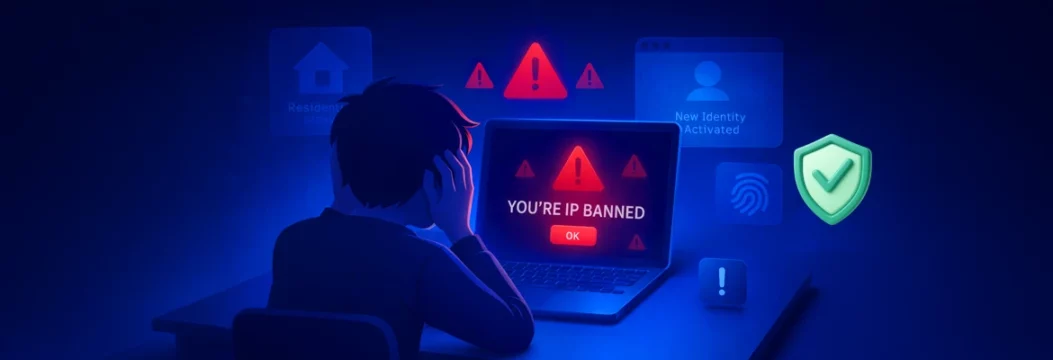


 Quick Navigation
This topic matters even more now because Roblox has been under heavy safety pressure. In late 2024, Roblox tightened messaging rules for users under 13. In January 2026, Dutch regulators opened a probe into risks to minors. AP also reported that Roblox rolled out and open-sourced an AI system called Sentinel to spot predatory language in chats earlier. In other words, moderation on the Roblox platform is not getting looser. It is getting more active and more technical.
What a Roblox IP ban means for your IP address
In simple terms, an IP ban targets the connection side of access. A normal account ban hits one profile. A Roblox IP ban is broader, because it is tied to the visible IP address reaching Roblox servers. Roblox’s own support pages confirm that the company uses your IP address and other device signals for account location and collects IP-related device information in its privacy policy.
That is why this kind of block can get messy fast. If one home, dorm, office, or public Wi-Fi setup shares the same IP address, the IP ban affects more than one device. That can be rough for innocent players who just want to play Roblox, especially when several users or multiple accounts sit behind the same connection. Roblox’s public pages do not spell out every IP-level enforcement trigger in detail, but they do make clear that safety, security, spam prevention, and misuse detection are a big part of moderation.
Why Roblox bans happen, from account ban to IP ban
Most people do not jump straight to a network-level restriction out of nowhere. Usually there is a pattern that makes a system think the traffic, behavior, or account activity is risky.
Repeated violations, spamming, and third party software
Roblox says it uses machine learning, throttles, and circuit breakers to block bot attacks and reduce spam and disruption. Its Community Standards also prohibit things like cheating and scams, spamming, sharing personal information, directing users off-platform, and misusing Roblox systems. So if someone keeps pushing limits with exploits, suspicious scripts, scams, or other third party software, the platform has plenty of reasons to tighten restrictions.
This is also where previous bans matter. A smaller moderation hit can grow into something more serious if the same behavior keeps showing up. That is especially true for repeat offenders, obvious ban evasion, or activity that gives an unfair advantage over other Roblox players.
Why multiple accounts on the same IP can look risky
Having multiple Roblox accounts is not automatically a problem. The trouble starts when multiple accounts on the same IP behave like one person trying to dodge enforcement, automate actions, or create spammy patterns. If a system sees fast account switching, suspicious sign-ins, copied behavior, or repeated abuse from one Roblox IP, it may treat the whole setup as higher risk.
This is why shady tools like an anti-detect browser, isolated browser profile tricks, random proxy chains, or rushed new accounts are not a smart fix. Even when people use them for “safe methods,” the pattern itself can look worse than the original issue.
How to deal with a Roblox IP ban without risky ban evasion
If you think you were banned on Roblox, do not jump straight to bypass tools. Start with the boring steps first. They are safer, cleaner, and much less likely to create a second problem.
Start with Roblox support and a clear appeal
Roblox officially says you can contact the Appeals team if your content or account was banned or moderated. It also says appeals do not guarantee removal, that standard appeals must be sent within 30 days, and that only the account owner can submit one. Roblox lists the basic info to include, such as the username and a short statement explaining why the case deserves review.
A good appeal is simple:
- Be respectful. Angry messages rarely help. State the problem clearly and stick to facts.
- Show proof. If the block looks unwarranted, attach screenshots, timelines, or anything that helps explain why the moderation may be wrong.
- Use the official route. Go through Violations & Appeals or the Roblox support form listed in your notice. Duplicate appeals for the same action usually will not be reviewed again.
Check whether it is really an IP address problem
Not every lockout means a true Roblox IP ban. Roblox’s own connection guide says loading failures can also come from firewall issues, weak wireless connections, browser security settings, or extensions that break the site. So before assuming the worst, rule out the simple stuff first.
Try this:
- Test another network. A mobile hotspot helps you see whether the issue is tied to your home Internet connection or the device itself.
- Restart your router. If your provider uses dynamic addressing, you may get a new IP address or new IP after reconnecting.
- Disable suspicious add-ons. Some extensions, blockers, or weird tools can break login flow or trigger “unexpected” behavior.
- Check service status first. Before blaming moderation, look at a live Roblox status checker to see whether the platform is simply having trouble.
Avoid unsafe bypass tricks
This part matters. If the restriction is valid, trying to bypass it with random proxy lists, leaked tools, copied scripts, or suspicious downloads can make things worse. You risk extra flags, more lost access, malware, and maybe a bigger mess on the same device.
A cleaner rule is this: fix the cause first. If the issue came from abuse, hacking, scams, fraudulent activities, or inappropriate content, no technical trick is a real solution. If the issue came from a shared network or false positive, then safer networking steps matter more than aggressive ban evasion.
Why VeePN is useful when a Roblox IP ban is tied to your network
VeePN is not magic that erases a justified moderation action. But it can help when the problem is exposure, shared Wi-Fi, or the need for a cleaner, safer connection while you sort things out.
- Encryption. VeePN encrypts your traffic, which is especially useful on public Wi-Fi in cafés, hotels, schools, or airports. If you are signing in, sending an appeal, or checking account settings on a shared hotspot, that extra privacy matters.
- Changing IP. A VPN gives you a different visible IP, which can help when the real problem sits with a shared or exposed connection. Roblox also says VPN use can affect account location accuracy, which shows how much the platform relies on network signals.
- Kill Switch. If the VPN drops, Kill Switch helps stop traffic from leaking back through your regular connection. That is useful when you want to keep your browsing and sign-ins from suddenly switching back to the old route mid-session.
- NetGuard. NetGuard blocks malicious sites, trackers, and intrusive ads. That is handy if you landed in trouble after clicking a fake link, sketchy download, or shady “unban” page.
- Antivirus and No Logs. VeePN Antivirus adds real-time malware protection, while VeePN’s no-logs materials say the service changes your IP without storing browsing, DNS, or search logs. That is a good combo when you want cleaner security without handing more data to random tools.
Try VeePN if you want a safer way to protect your traffic, change your visible IP, and troubleshoot shared-network problems with less risk. Every plan comes with a 30-day money-back guarantee.
FAQ
Yes. A Roblox IP ban can hit more than one Roblox account if those accounts use the same IP address or the same home network. That is why family members or other devices connected to the connection may lose access too. Discover more in this article.
Before trying to bypass anything, check whether the issue is really an IP ban, not a browser or connection problem. Then contact Roblox support, send a clear appeal, and avoid risky proxy, anti-detect browser, or third party software tricks that can look like ban evasion. Discover more in this article.


VeePN is freedom
Download VeePN Client for All Platforms
Enjoy a smooth VPN experience anywhere, anytime. No matter the device you have — phone or laptop, tablet or router — VeePN’s next-gen data protection and ultra-fast speeds will cover all of them.
Download for PC Download for Mac IOS and Android App
Want secure browsing while reading this?
See the difference for yourself - Try VeePN PRO for 3-days for $1, no risk, no pressure.
Start My $1 TrialThen VeePN PRO 1-year plan