
VPN protocols supported by VeePN
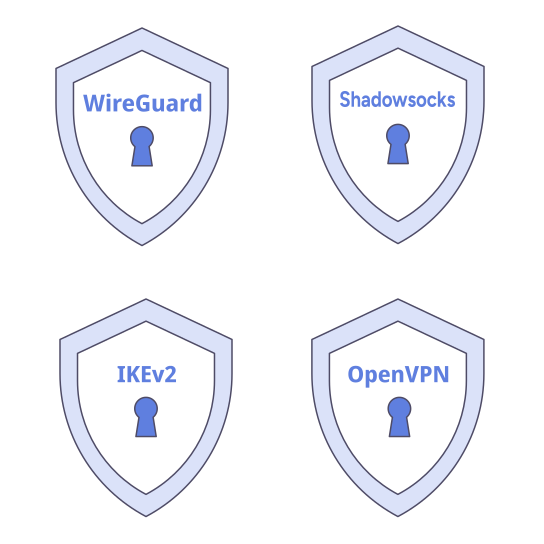
VPN protocols determine how your device connects to a VPN server. VeePN supports WireGuard, OpenVPN, IKEv2, and Shadowsocks, giving you options for performance, reliability, flexibility, and challenging networks.
Why change your location with VeePN
Want to know more? Let's go through a few details that prove VeePN's quality.
-
Everyday performance
WireGuard
A modern, efficient protocol and a strong starting point for browsing, streaming, gaming, and other everyday activities.
-
Flexible connection
OpenVPN
Choose performance-focused UDP or delivery-focused TCP to adapt OpenVPN to your network.
-
Supported devices
IKEv2
A streamlined option across supported Windows, macOS, Android, iOS, Android TV, and Fire TV Stick devices.
-
Difficult networks
Shadowsocks
An encrypted proxy-based option for networks where a regular VPN connection may be harder to establish.
Recommended starting point by situation
- Situation Recommended starting point
- Everyday use WireGuard
- OpenVPN with lower transport overhead OpenVPN UDP
- UDP is unavailable or unstable OpenVPN TCP
- Switching between networks or using mobile internet IKEv2
- A restricted network where a regular VPN connection does not work Shadowsocks
- A router, console, or device without a VeePN app OpenVPN through router setup
What is a VPN protocol?
A VPN protocol is a set of rules that a VPN app and server use to establish and maintain a connection. It determines how data travels through the connection and can influence performance, stability, reconnection behavior, and compatibility with different devices and networks.
The protocol is only one part of a VPN service. The overall security and reliability of a connection also depend on how the protocol is implemented, the app configuration, the server infrastructure, and supporting protections.
You do not need to understand every technical detail to use VeePN. Start with the option that matches your needs, and switch if your network or activity calls for something different.
How to change the VPN protocol in VeePN
Open VeePN and find the protocol or connection option in the app settings. Select the option you want, then reconnect if required.
Compare VeePN protocols
Use this table to compare the typical strengths of each option.
Typical strengths and availability of VeePN connection options
- Option Best suited to Performance Stability Network restrictions Available on
- WireGuard Everyday use, streaming, gaming Performance-focused Strong general-purpose option Network-dependent Windows, macOS, Android, Android TV, Fire TV Stick, iOS
- OpenVPN UDP OpenVPN flexibility with lower overhead Typically faster than OpenVPN TCP Fewer delivery checks May be limited on networks that restrict UDP Windows, macOS, Android, Android TV, Fire TV Stick, iOS, routers/manual setup
- OpenVPN TCP Reliability and UDP-limited networks More overhead than UDP Delivery-focused Can be useful when UDP is unavailable or unstable Windows, macOS, Android, Android TV, Fire TV Stick, iOS, routers/manual setup
- IKEv2 Efficient connections on supported devices Performance-focused Commonly associated with quick reconnection Not designed as an obfuscation option Windows, macOS, Android, iOS, Android TV, Fire TV Stick
- Shadowsocks Difficult or restricted networks Network-dependent Not directly comparable to a full VPN tunnel Designed for challenging conditions Windows, macOS, Android
What affects your connection
Your result depends on more than the protocol: device performance, local network quality, the server you choose, distance to it, and current server load. Compare options on the network you actually use.
OpenVPN TCP vs. UDP: what’s the difference?
OpenVPN UDP usually has lower transport overhead and is a practical starting point for everyday and time-sensitive activity. OpenVPN TCP adds delivery checks and is worth trying when UDP is unavailable or unstable.
- OpenVPN UDP OpenVPN TCP
- Typical priority Lower overhead and performance Delivery checks and reliability
- Good starting point for Streaming, gaming, and video calls Unstable or UDP-limited networks
- Main trade-off Packet loss can affect unstable connections More overhead and potentially lower speed
Which VeePN protocols are available on your device?
VeePN protocol availability depends on your platform. Browser extensions use a browser proxy rather than a full-device VPN protocol. Availability may also vary by app version, so the selectable options shown in your VeePN app are the most relevant for your device.
VeePN connection options by platform
| Platform | WireGuard | OpenVPN TCP | OpenVPN UDP | IKEv2 | Shadowsocks | Browser proxy |
|---|---|---|---|---|---|---|
| Windows |

|
|
|
|
|

|
| macOS |
|
|
|
|
|
|
| Android |
|
|
|
|
|
|
| Android TV |
|
|
|
|
|
|
| Amazon Fire TV Stick |
|
|
|
|
|
|
| iOS |
|
|
|
|
|
|
| Linux, manual setup |
|
|
|
|
|
|
| Browser extensions |
|
|
|
|
|
|
| Routers and manual setup |
|
|
|
|
|
|
| Apple TV, Smart TV, PlayStation, and Xbox through a router |
|
|
|
|
|
|
VeePN protocol availability by platform. Updated August 14, 2026. Availability may vary by app version.
Browser extensions use a browser proxy that handles browser traffic rather than traffic from every app. Linux uses OpenVPN through manual setup because there is no VeePN app for Linux. Routers and manual configurations use OpenVPN TCP or UDP. Apple TV, Smart TV, PlayStation, and Xbox can use the router connection rather than a native protocol option. Compatibility and setup steps vary between router models.
Get the right VeePN app for your device
Choose your platform to download VeePN and see the connection options available for your device.
Frequently asked questions
What is the fastest VPN protocol in VeePN?
WireGuard or OpenVPN: which should I choose?
Does protocol availability vary by app version?
Connect with the protocol that fits your device
VeePN gives you multiple connection options across major desktop, mobile, TV, browser, and router platforms. Choose an available protocol in the app, or let your network needs guide your selection.