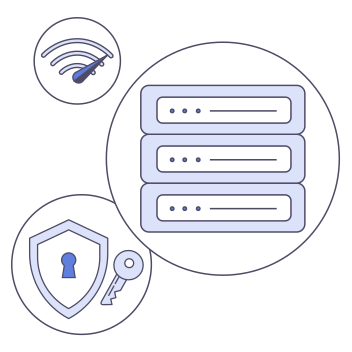
Ang IKEv2, o Internet Key Exchange version 2, ang nagtatatag at nagpapanatili ng impormasyon ng koneksyon na ginagamit kasama ng IPsec. Magkasama, ang IKEv2 at IPsec ay makakapagbigay ng episyenteng koneksyon sa VPN na akma sa mga suportadong device kapag nagbabago ang kalagayan ng network.
Ang IKEv2 ay katumbas ng Internet Key Exchange version 2. Ginagamit ito upang patunayan ang mga panig ng isang koneksyon at upang magtatag at magpanatili ng mga security association. Ang security association ay ang napagkasunduang set ng impormasyon at mga panuntunan na ginagamit upang suportahan ang isang protektadong koneksyon.
Ang IKEv2 ay hindi isang encryption algorithm. Sa karaniwang koneksyon sa VPN, gumagana ito kasama ng IPsec, na nagpoprotekta sa datos na dumadaan sa pagitan ng device at VPN server. Ito ang dahilan kung bakit ang kumpletong opsyon ay kadalasang tinatawag na IKEv2/IPsec, kahit na ang ipinapakita lang ng isang app ay ang mas maikling pangalan na IKEv2.
Kilala ang protocol na ito dahil sa episyenteng pag-set up ng koneksyon at sa kakayahan nitong mag-recover matapos ang ilang uri ng pagkaputol. Maaaring maging kapaki-pakinabang ang mga katangiang ito kapag lumilipat ang isang device mula sa isang network patungo sa iba. Ang aktwal na resulta ay nakadepende pa rin sa app, operating system, server, network, at paraan ng pagpapatupad.
Paano magkasamang gumagana ang IKEv2 at IPsec?
Ang IKEv2 at IPsec ay may magkaibang pero magkaugnay na gawain. Inaasikaso ng IKEv2 ang usapan na naghahanda sa protektadong koneksyon. Sinusuportahan nito ang authentication, ineegosyo ang mga parameter ng koneksyon, at itinatatag at pinapanatili ang mga security association na ginagamit ng dalawang panig. Inilalapat naman ng IPsec ang napagkasunduang proteksyon sa datos na inililipat sa pamamagitan ng koneksyon sa VPN. Sa simpleng salita, tinutulungan ng IKEv2 ang device at server na magkasundo kung paano gagana ang koneksyon, habang pinoprotektahan naman ng IPsec ang trapikong dumadaan dito.
Ang paghahatiang ito ang nagpapaliwanag sa karaniwang pangalang IKEv2/IPsec. Hindi pinapalitan ng IKEv2 ang IPsec, at hindi rin ginagawang hindi kailangan ng IPsec ang negosasyon ng IKEv2. Gumagana sila bilang magkasamang bahagi ng parehong koneksyon sa VPN. Maaaring mag-iba ang eksaktong paraan ng authentication, mga algorithm, software, at configuration sa iba't ibang serbisyo at platform ng VPN. Ang mga pangalan lamang ng protocol ay hindi nagpapahayag ng bawat desisyon sa seguridad o pagpapatupad.
Paano gumagana ang IKEv2?
Ang sumusunod na sunud-sunod na proseso ay pinasimpleng paliwanag ng isang karaniwang koneksyon ng IKEv2/IPsec. Inilalarawan nito ang pangkalahatang teknolohiya, hindi ang panloob na pagpapatupad ng isang partikular na app ng VeePN.
1
Pakikipag-ugnayan sa VPN server
Ang device o VPN app ay nakikipag-ugnayan sa isang compatible na VPN server. Ang kalidad ng network, ang napiling server, at ang ruta sa pagitan ng device at server ay maaaring makaapekto sa koneksyon mula pa sa simula.
2
Pag-eegosyo ng koneksyon
Sinusuportahan ng IKEv2 ang authentication at ineegosyo ang mga parameter na kailangan para sa protektadong koneksyon. Itinatatag ng device at server ang mga security association na tumutukoy kung paano sila makikipag-ugnayan.
3
Pagprotekta sa trapiko gamit ang IPsec
Ginagamit ng IPsec ang napagkasunduang impormasyon ng koneksyon upang protektahan ang datos na gumagalaw sa pagitan ng device at VPN server. Maaari nang ipasa ng server ang mga kahilingan patungo sa kanilang destinasyon at ibalik ang mga tugon sa pamamagitan ng protektadong koneksyon.
4
Pagbabalik ng koneksyon kapag posible
Maaaring muling itatag ng IKEv2 ang koneksyon matapos ang ilang maikling pagkaputol. Ang opsyonal na extension na MOBIKE ay maaari ring magpahintulot na magbago ang mga address na nauugnay sa isang koneksyon ng IKEv2 at IPsec, na maaaring makatulong kapag lumilipat mula sa isang network patungo sa iba. Ang suporta at pag-uugali ay depende sa pagpapatupad at kasalukuyang kalagayan ng network.
Mga bentahe at limitasyon ng IKEv2
Pag-set up ng koneksyon at mga pagbabago sa network
Idinisenyo ang IKEv2 upang episyenteng itatag at panatilihin ang impormasyon ng koneksyon. Maaari nitong suportahan ang mabilis tumugong pangkalahatang performance nang hindi ginagawang IKEv2 ang pinakamabilis na pagpipilian sa bawat sitwasyon. Kilala rin ang IKEv2 sa pag-recover matapos ang ilang uri ng pagkaputol ng koneksyon, na maaaring maging kapaki-pakinabang kapag lumilipat ang isang device sa ibang network. Ang pag-recover ay depende sa suporta ng pagpapatupad, sa uri ng pagkaputol, at kung kaya bang maabot ng bagong network ang VPN server. Ikumpara ang pag-uugaling ito sa ibang opsyon sa pahina ng mga protocol ng VeePN.
Mas kaunting flexibility at mas makitid na availability
Mas nakatuon ang papel ng IKEv2 kumpara sa isang lubos na na-configure na opsyon tulad ng OpenVPN. Hindi nag-aalok ang VeePN ng hiwalay na pagpipilian ng TCP at UDP para sa IKEv2, at hindi available ang IKEv2 para sa router o manual setup ng VeePN. Mas makitid din ang availability nito sa VeePN kumpara sa OpenVPN. Ang mga gumagamit na nangangailangan ng ibang paraan ng transport, isang hindi suportadong platform, o isang configuration ng router ay dapat isaalang-alang ang ibang available na protocol.
IKEv2 kumpara sa WireGuard kumpara sa OpenVPN
Ang IKEv2, WireGuard, at OpenVPN ay maaari kesing angkop na opsyon. Ang praktikal na pagkakaiba ay nagmumula sa device, network, available na opsyon sa VeePN, at uri ng flexibility na kailangan ng isang user.
Pangkalahatang performanceEpisyenteng pag-set up ng koneksyon na ang resulta ay depende sa device, network, at serverNakatuon, modernong disenyo na ginawa para sa episyenteng operasyon sa UDPNag-iiba ang performance depende sa TCP o UDP, configuration, at kalagayan ng network
Muling pagkonekta at paglipat ng networkKilala sa pag-recover matapos ang ilang uri ng pagkaputolAng pag-uugali ng muling pagkonekta ay depende sa app at pagpapatupad ng providerAng pag-uugali ng muling pagkonekta ay depende sa app, transport, at pagpapatupad
Availability sa VeePNWindows, macOS, Android, iOS, Android TV, at Amazon Fire TV StickWindows, macOS, Android, Android TV, Amazon Fire TV Stick, at iOSWindows, macOS, Android, Android TV, Amazon Fire TV Stick, iOS, at router o manual setup
Pagpili ng TCP o UDPWalang hiwalay na pagpipilian ng TCP o UDP na ipinapakita sa VeePNGumagamit ng UDPNag-aalok ang VeePN ng TCP at UDP
Router o manual setup sa VeePNHindi availableHindi availableAvailable
Mahalagang dapat isaalang-alangWalang router o manual setupWalang TCP mode o router/manual setup sa VeePNMas maraming pagpipilian sa configuration at posibleng mas maraming overhead, depende sa mode at kalagayan
Walang universal na panalo. Piliin ang IKEv2 para sa nakatuong pag-set up ng koneksyon at mga katangian nito sa pag-recover sa isang suportadong app ng VeePN. Piliin ang WireGuard kapag gusto mo ng episyente at modernong opsyon. Piliin ang OpenVPN kapag mas mahalaga sa iyo ang pagpili ng transport, mas malawak na availability, o router at manual setup.
Kailan mo dapat gamitin ang IKEv2?
Isaalang-alang ang IKEv2 kapag lumalabas ito sa iyong app ng VeePN at gusto mo ng protocol na may episyenteng pag-set up ng koneksyon at kapaki-pakinabang na pangkalahatang katangian sa pag-recover. Maaari itong maging praktikal na opsyon sa mga suportadong desktop, mobile, at TV device, lalo na kapag maaaring magbago ang kalagayan ng lokal na network.
Hindi ang IKEv2 ang tamang opsyon para sa bawat setup. Piliin ang WireGuard kapag gusto mo ng episyenteng UDP-based na alternatibo sa isang suportadong app. Piliin ang OpenVPN kapag kailangan mo ng pagpili ng TCP o UDP, o router at manual setup ng VeePN.
Kung hindi ipinapakita ang IKEv2 sa iyong platform, gamitin ang isa sa mga protocol na available sa app na iyon sa halip na subukang ipilit ang hindi suportadong configuration.
Saan available ang IKEv2 sa VeePN?
Nakalista ang IKEv2 sa VeePN sa anim na kategorya ng app:
Isang nakatuon at modernong protocol na gumagamit ng UDP at idinisenyo para sa episyenteng pang-araw-araw na koneksyon sa mga suportadong app ng VeePN.
Ang IKEv2 ay ang protocol na ginagamit upang patunayan ang mga kalahok at upang itatag at panatilihin ang mga security association para sa IPsec. Pinoprotektahan ng IPsec ang trapikong inililipat. Sa pang-araw-araw na wika ng VPN, ang IKEv2 ay kadalasang tumutukoy sa kumpletong opsyon ng koneksyon na IKEv2/IPsec.
Ligtas ba ang IKEv2?
Maaaring magbigay ng matibay na proteksyon ang IKEv2/IPsec kapag ito ay wasto ang pagkaka-implement at pagka-configure. Ang seguridad ay depende sa buong sistema, kasama na ang authentication, mga pagpipilian sa cryptography, maintenance ng software, ang VPN app, configuration ng server, at operasyon ng provider. Hindi patunay ang pangalang IKEv2 lamang kung paano ito ipinapatupad ng isang partikular na serbisyo.
Bakit hindi lumalabas ang IKEv2 sa aking app ng VeePN?
Maaaring mag-iba ang mga opsyon ng protocol depende sa bersyon ng app. Kung nawawala ang IKEv2, tiyakin na updated ang app at makipag-ugnayan sa suporta ng VeePN kung hindi pa rin lumalabas ang opsyon.
Magagamit ko ba ang VeePN IKEv2 sa isang router?
Hindi. Hindi available ang IKEv2 para sa router o manual setup ng VeePN. Nakalista sa VeePN ang OpenVPN TCP at UDP para sa mga router at manual configuration, kaya ang OpenVPN ang naaangkop na alternatibo para sa setup na iyon.
Subukan ang IKEv2 gamit ang VeePN
Kunin ang VeePN sa isang suportadong device, hanapin ang opsyon ng protocol o koneksyon sa settings ng app, at piliin ang IKEv2 kapag ang profile ng koneksyon nito ay akma sa iyong network at platform.